
What Is Marketplace Management Software and What Do You Need In It?
Marketplace management software is the system you use to operate a marketplace in which other companies sell. Your team works in an admin panel, and every seller gets a separate vendor panel of their own.
A marketplace gives you work that classic eCommerce never had:
- You approve sellers before they can list anything.
- You check their products before buyers see them.
- You split one order between several sellers.
- You keep a commission on every sale and pay each seller the rest.
If the software can't do one of these jobs, your team does it manually. With a few sellers, that means a spreadsheet, and with a few hundred, it means hiring people for work the system should be doing for you.
I scope marketplace projects with retailers and distributors, and one of my first questions is which of these jobs their team still does in a spreadsheet.
In short, you need software that covers the operator's work and the seller's work in one place. This guide shows what each panel has to provide and how to choose the software that fits your marketplace.
My team builds Mercur, one example of marketplace management software, so the functions and screens in this guide come from its panels.
This article breaks down:
- What is marketplace management software?
- What does a marketplace operator need from the admin panel?
- What do marketplace sellers need from the vendor panel?
- What is the best marketplace management software in 2026?
- How to choose the best marketplace management software for your marketplace?
Key insights
- Brands use marketplace management software to sell on online marketplaces such as Amazon. Marketplace operators use a different product under the same name to manage their own marketplace.
- The key features of an admin panel are seller approval, catalog control, commission rules, order routing, and payouts.
- Every seller needs their own vendor panel, in which they add offers, manage inventory, handle orders, and check payouts.
- To choose your perfect marketplace management software, start by writing down your requirements and your limits on cost and ownership.
- Mercur is one example of free marketplace management software. It includes admin panel and vendor panel with all the features you need out of the box + no licence fee.
Which marketplace management software do you need?
Marketplace management software automates the daily operations of a multi-vendor marketplace. It handles vendor coordination, commission rules, and order routing in one system.
The tools that publish a brand's listings on Amazon or Walmart are also called marketplace management software, so state whether you sell on someone else's marketplace or own one.
Who uses it? | What does it do? | Examples |
|---|---|---|
Brands selling on marketplaces | Publishes listings, syncs inventory, and reprices across channels | Feedonomics, Rithum, ChannelEngine |
Operators with third-party sellers on their own site | Onboards sellers, controls the catalog, routes orders and pays sellers | Mercur, Mirakl, Marketplacer |
Software for brands that sell on online marketplaces
Selling on a marketplace means listing your products on a site that belongs to another company. For example, eCommerce brands do this on Amazon, Walmart, or TikTok Shop. Their tools publish listings to many channels and keep inventory in sync across them.
A brand that sells this way doesn't have a direct relationship with its customers, because the marketplace owns the customer experience and the data about customer behavior.
Feedonomics and Rithum are examples of these selling-side tools. If this is your case, look at them and skip the rest of this guide.
Software for operators who own a marketplace
Operating a marketplace means third-party sellers list their products or services on your site. The marketplace platform handles onboarding, catalogs, and payouts for every seller, while the buyer sees one store and pays once for their order.
Large retailers, distributors, and specialty retailers often extend their existing eCommerce with a marketplace – as a growth strategy – to offer more products without buying the stock themselves.
I wrote the rest of this guide for operators who own a marketplace, because those are the projects I work on.
What does a marketplace operator need from the admin panel?
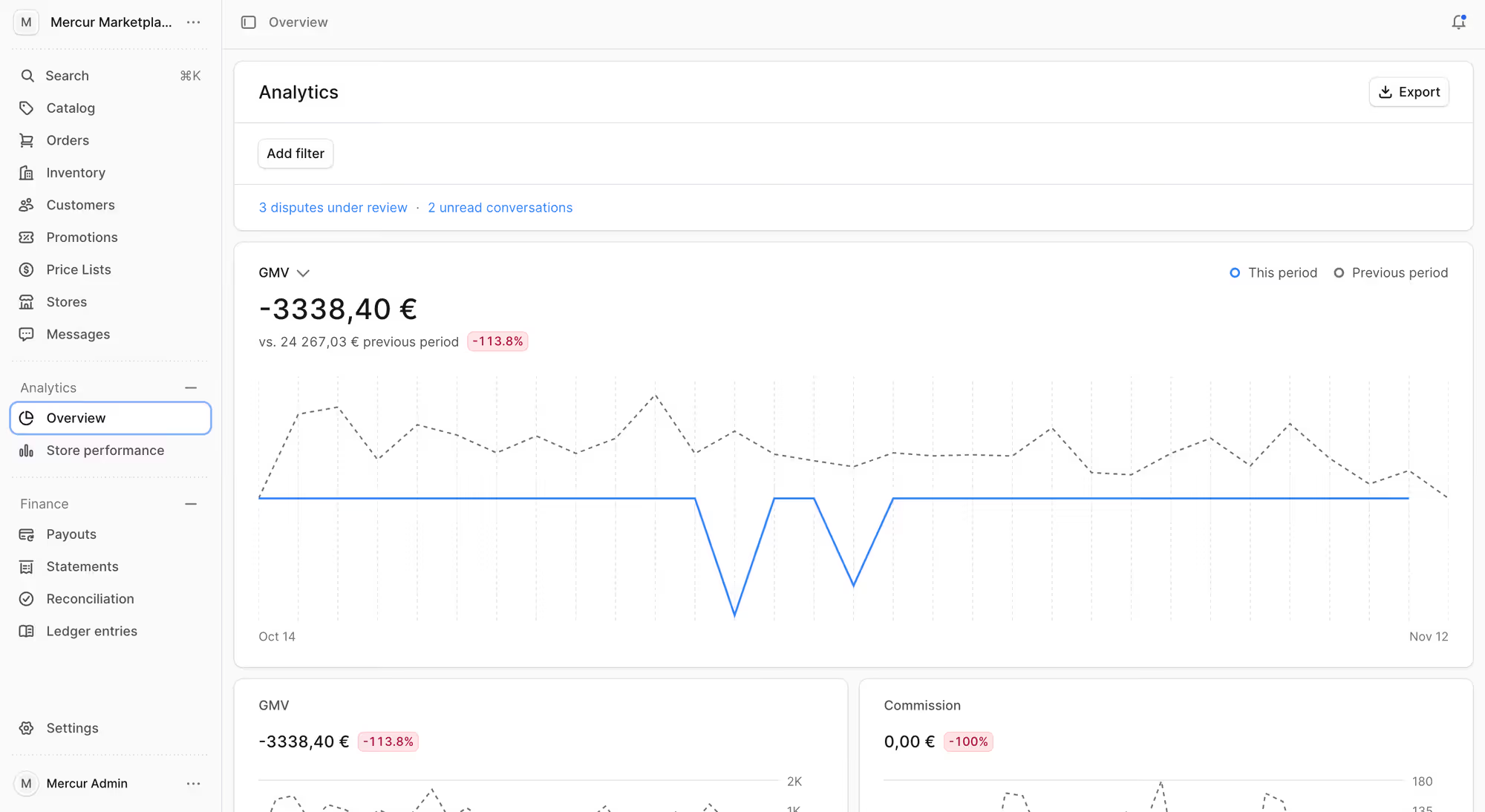
The admin panel is the dashboard in which your team or you manage the whole marketplace, for example, approves sellers and their products and sets the commission on each sale. It also shows every order and every payout across all sellers.
Every function and screen in this section comes from the Mercur admin panel.
Function | What do you do in it? | Why do you need it? |
|---|---|---|
Seller onboarding and approval | Review each registration and open, suspend, or close the account | To check that sellers fit what you offer and know how to use your marketplace |
Seller management | Browse the seller directory and change sellers' settings | To react quickly when a seller needs help or breaks your rules |
Catalog and master products | Define categories and attributes, and keep one page per product | To let buyers find a product and compare offers for it from several sellers |
Product change review | Confirm or decline every new product and every edit | To show buyers only products that meet your quality and legal standards |
Commission rules | Set rates per marketplace, category, seller, or product | To earn the agreed rate on every sale without calculating it order by order |
Order management and order routing | Follow every order after it splits between sellers | To step in when a seller is late, before the buyer loses trust in your marketplace |
Payments, payouts, and refunds | Check split payments, payouts, and refunds per order line | To pay your sellers the right amount of money on time |
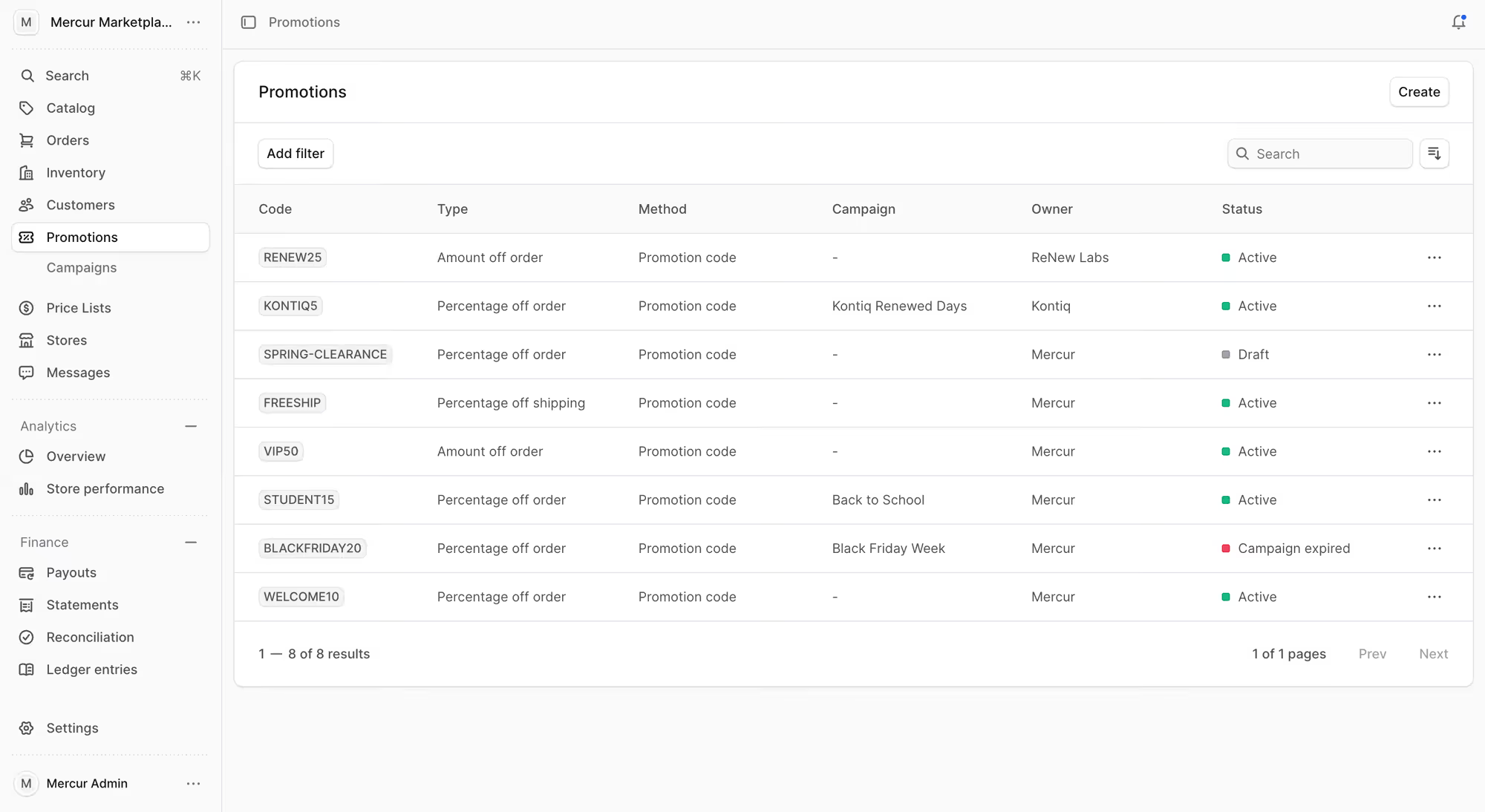
Promotions and campaigns | Create promo codes and campaigns that sellers can join | To increase sales across many sellers at once |
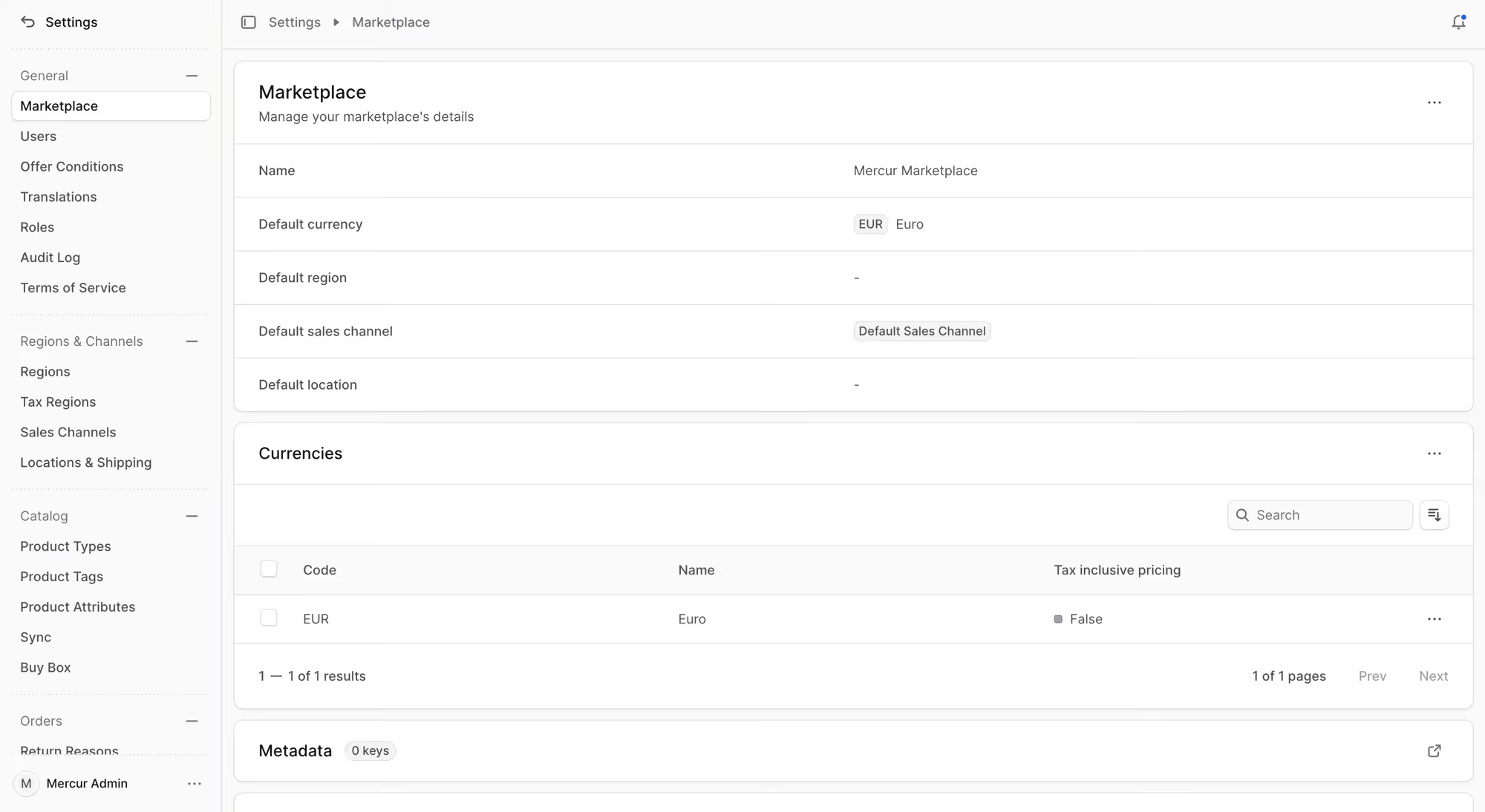
Markets, currencies, and languages | Add regions, currencies, and sales channels | To sell to buyers in another country in their own currency and with the right taxes |
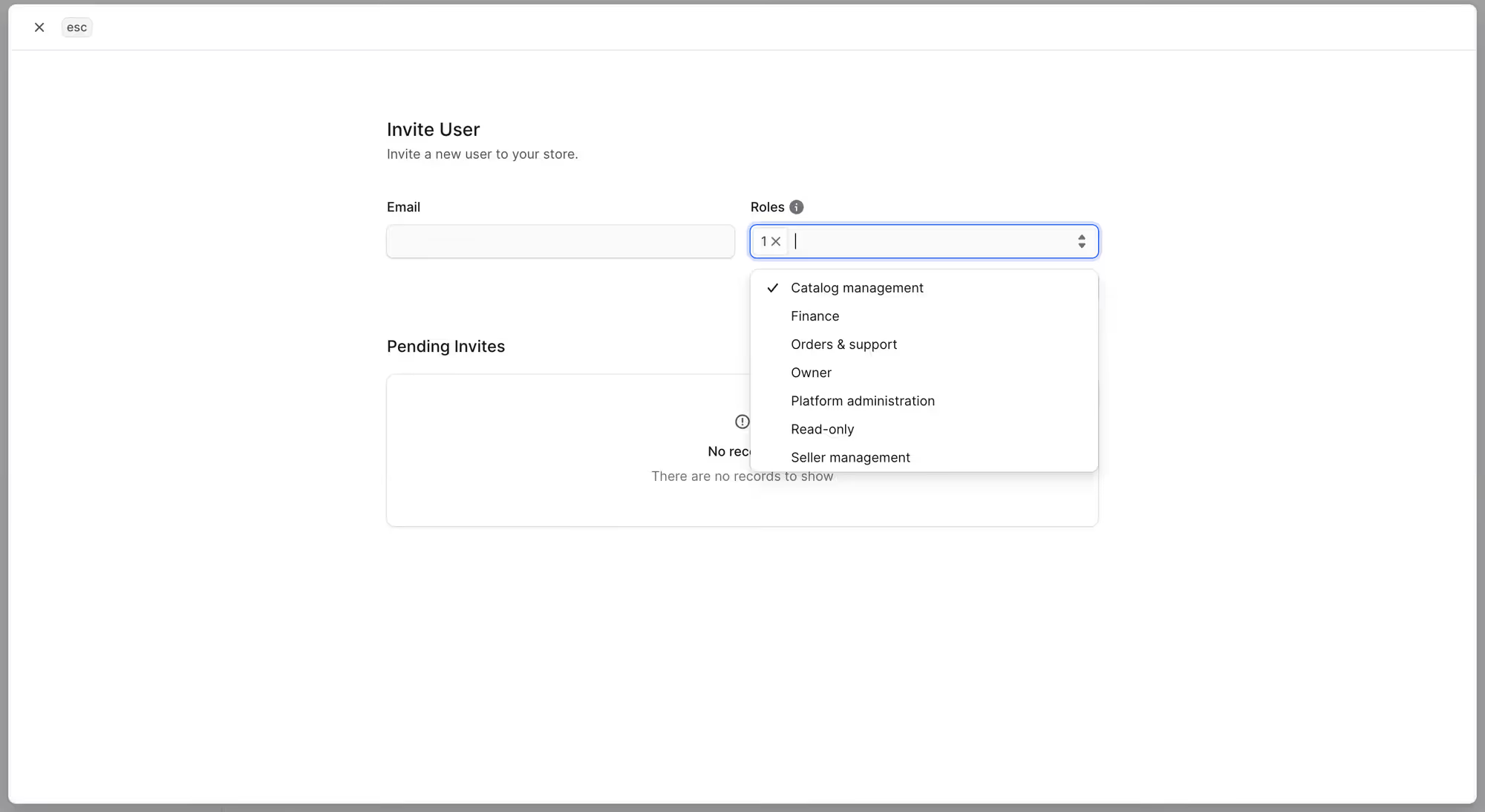
Roles and access | Give each user access to their own tasks | To stop one mistake or one leaked login from exposing every seller's data |
Reporting and analytics | Read sales and commission reports per seller | To decide which sellers and categories to grow and which to fix |
1. Seller onboarding and approval
Marketplace software has to support vendor onboarding and management, because onboarding is how you check that a seller fits your offer and show them how your marketplace works. Onboarding third-party sellers starts when a seller registers or accepts your invitation.
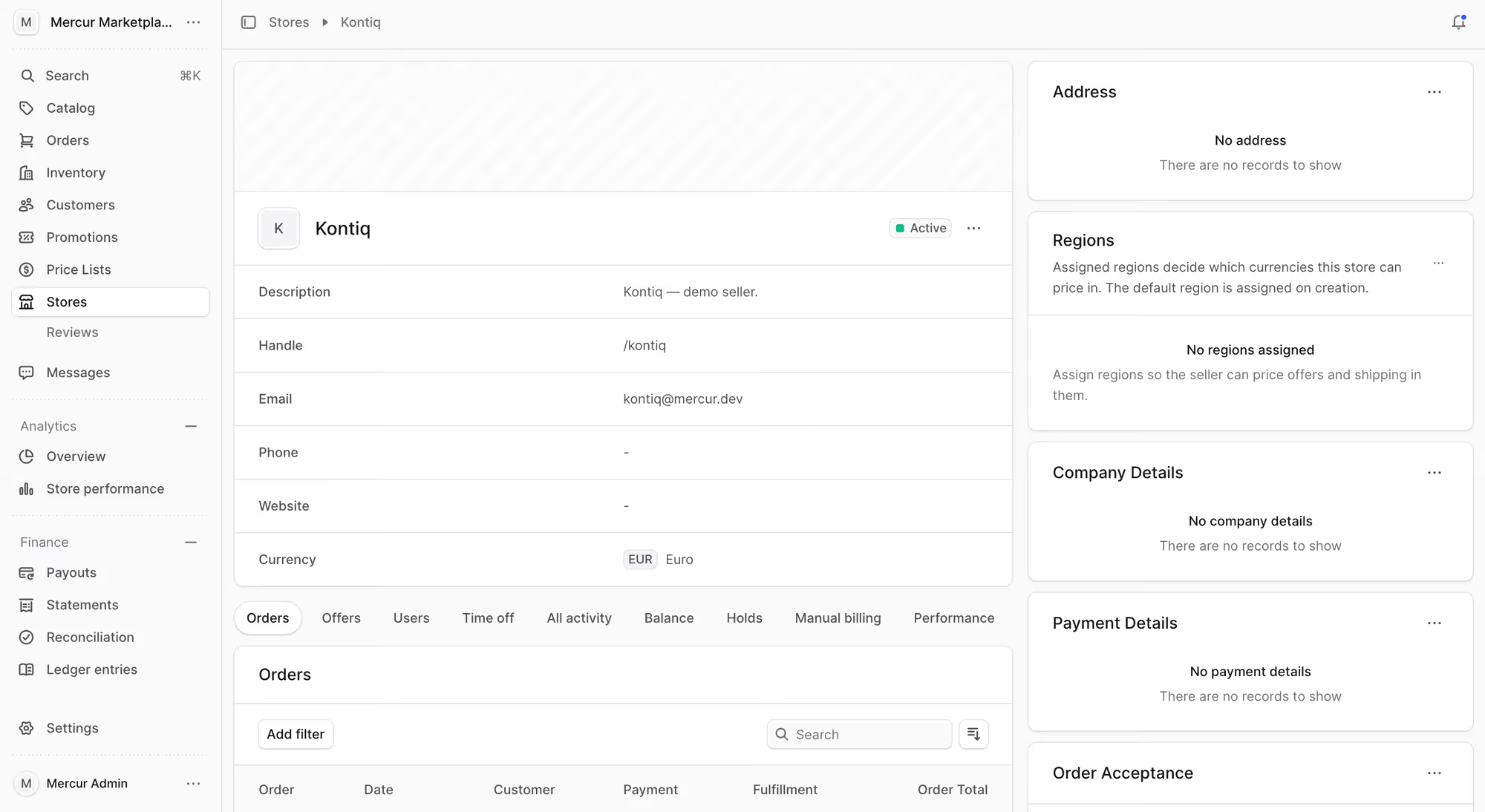
The new account should have a pending approval status until you approve it, and you can suspend or terminate it later. Each seller has one status in the panel, so your team doesn't track approvals in email.
2. Seller management
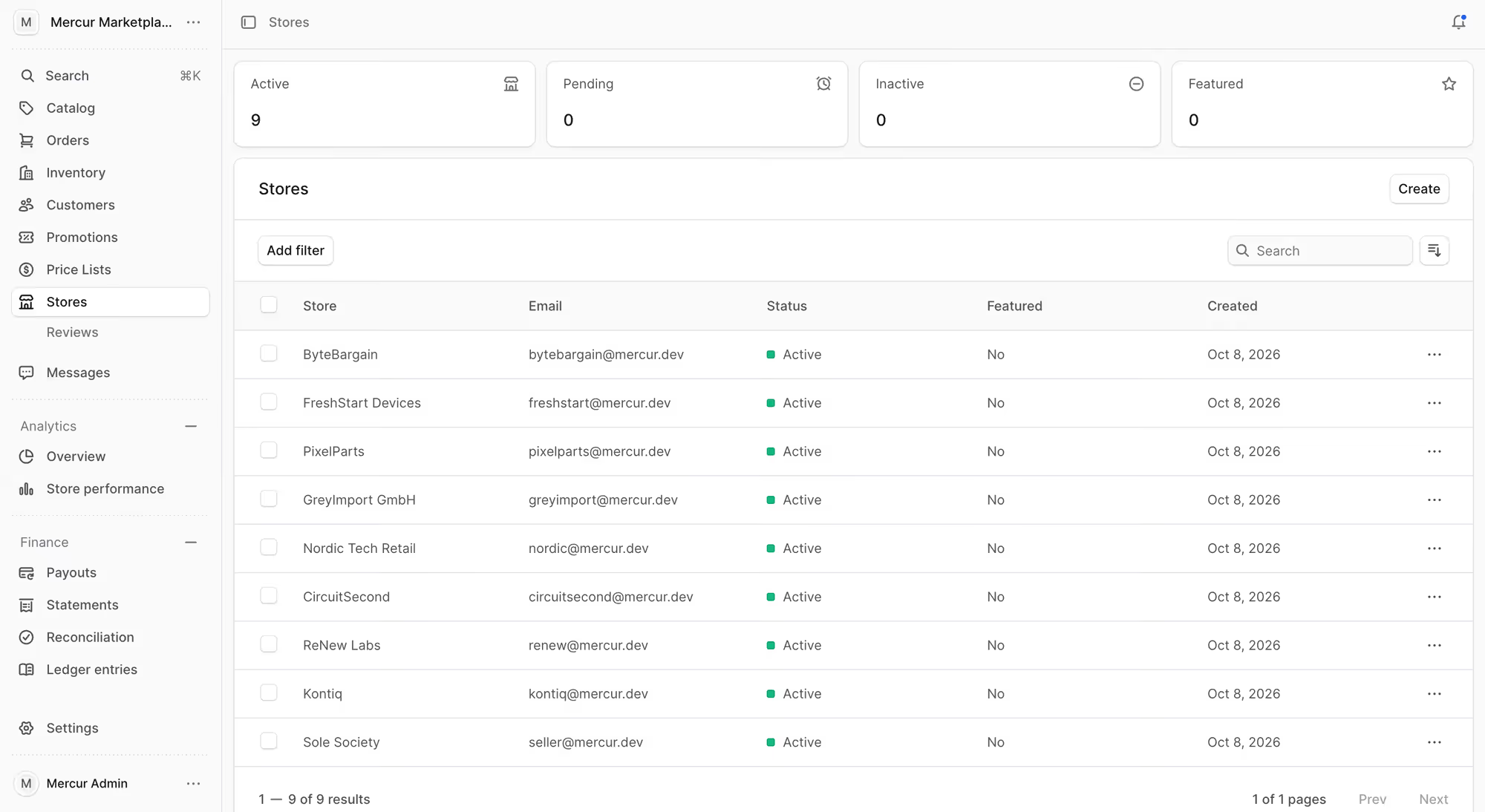
You should be able to open a directory of all sellers and see each one's business profile and current status.
Look for the option to mark a seller as premium and to schedule a period in which their store is closed.
3. Catalog and master products
You define the categories, collections, product types, and attributes that every seller has to use. Sellers send product data in different formats, and this shared set of fields lets buyers filter and compare products from all of them.
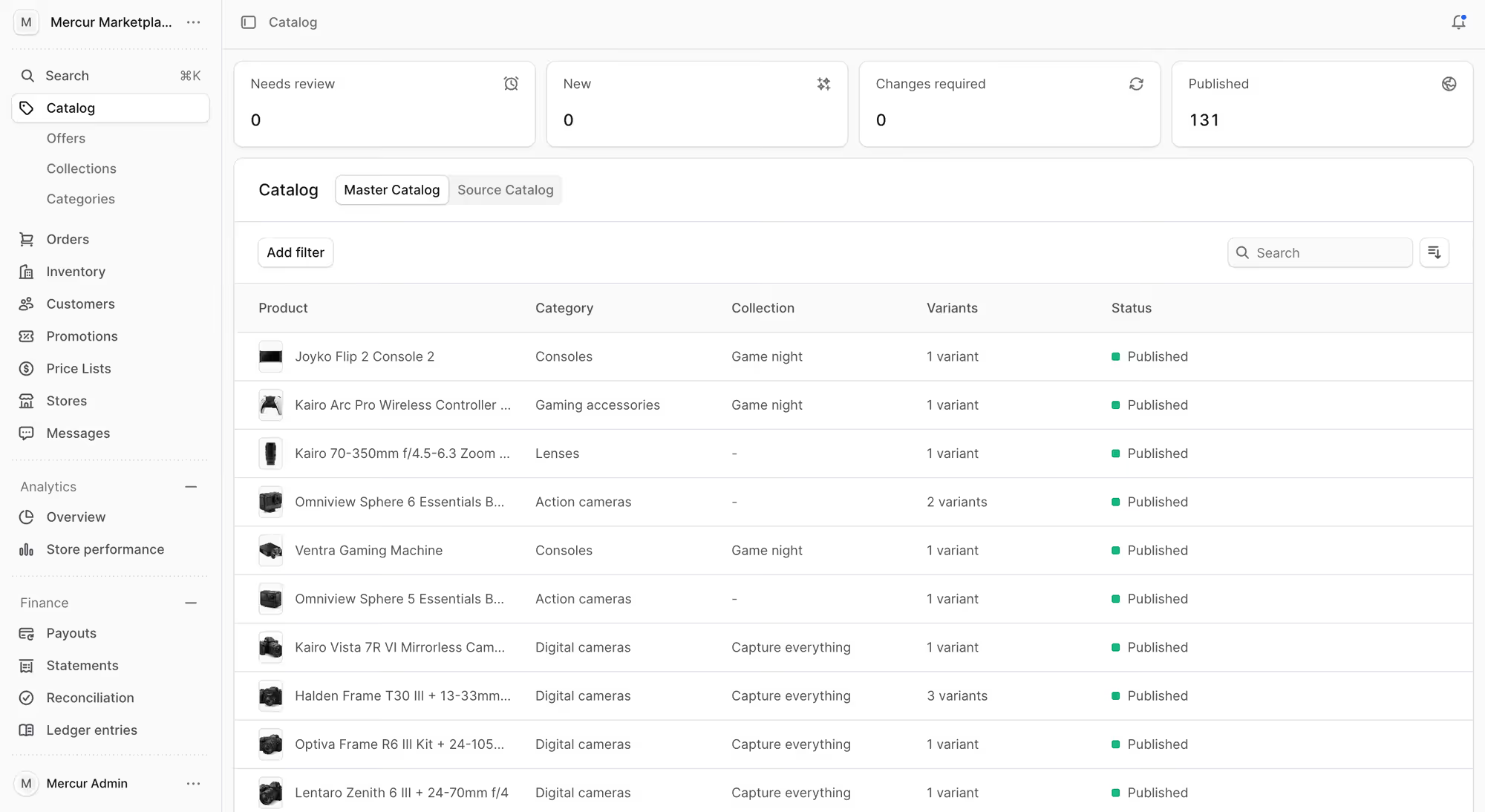
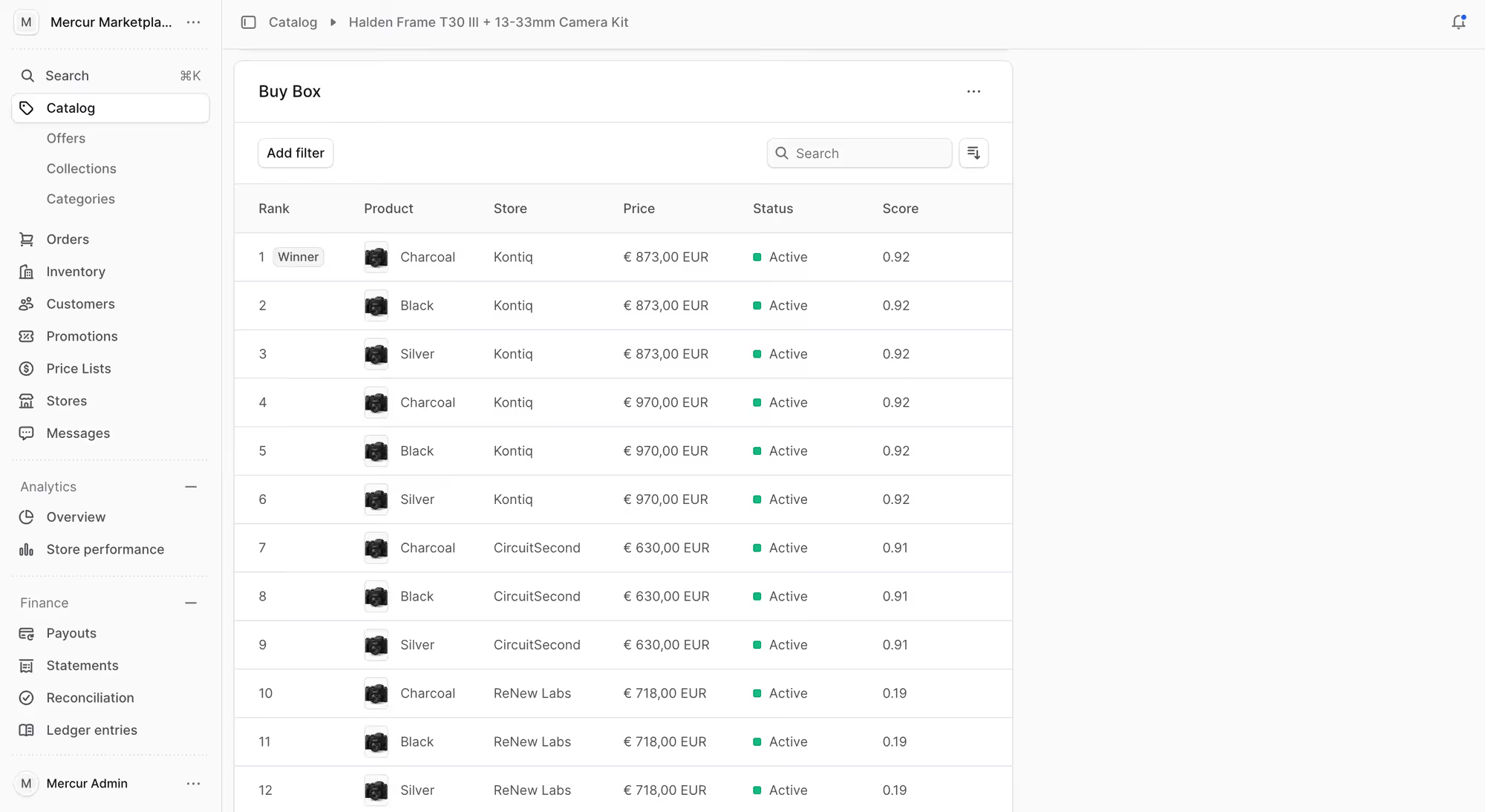
The software should keep one master catalog, so two sellers with the same product attach their offers to one product page. You should also be able to decide which sellers are allowed to sell a given product.
If your sellers send messy feeds, ask the vendor whether the platform has product mapping powered by machine learning.
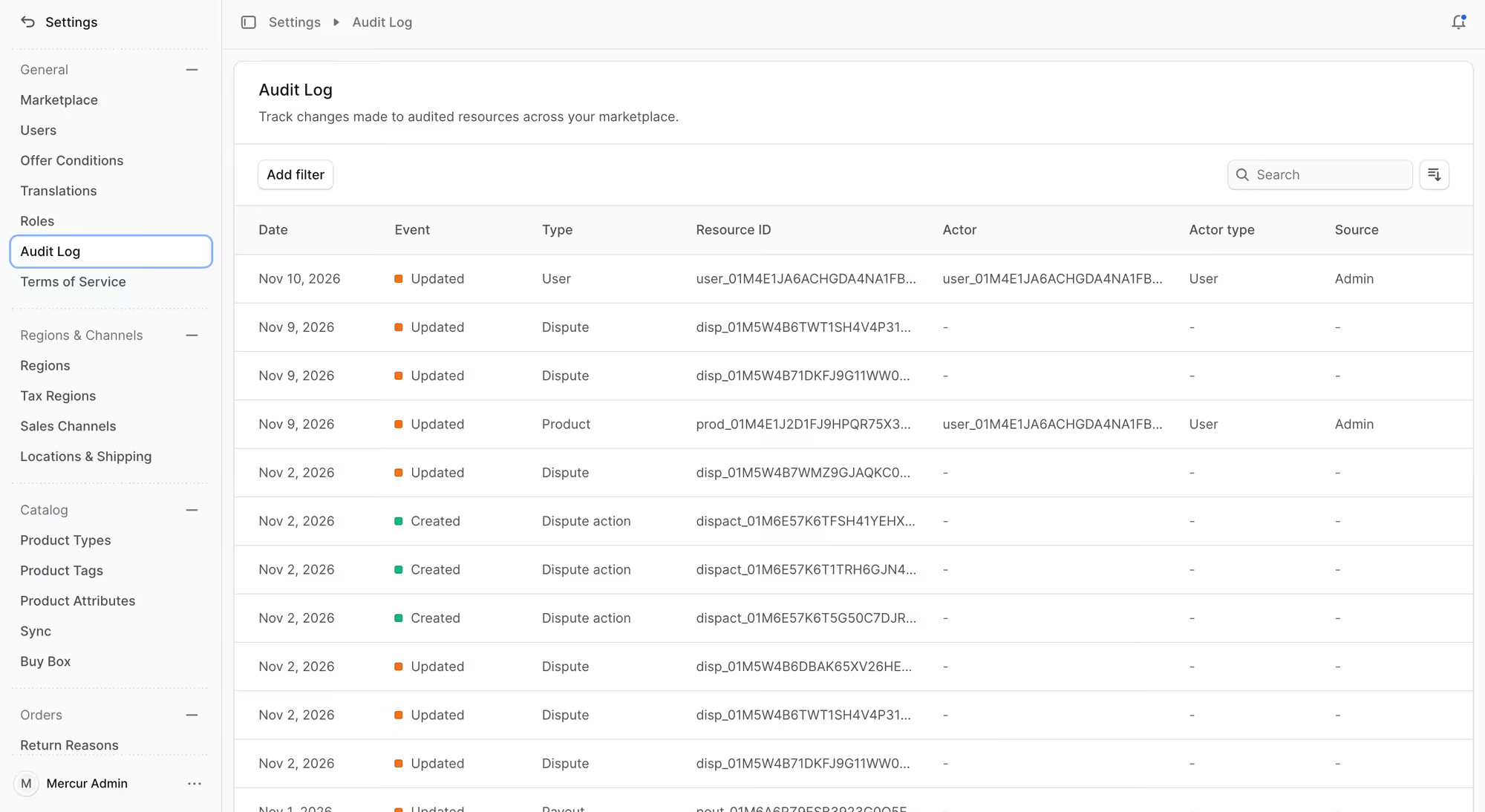
4. Product change review
Every new product and every edit from a seller should arrive in the admin panel as a change request. You confirm it, decline it or send it back to the seller for correction.
The change appears in the store only after you confirm it. Your team works through the change requests and doesn't have to search the catalogs for what a seller changed.
5. Commission rules
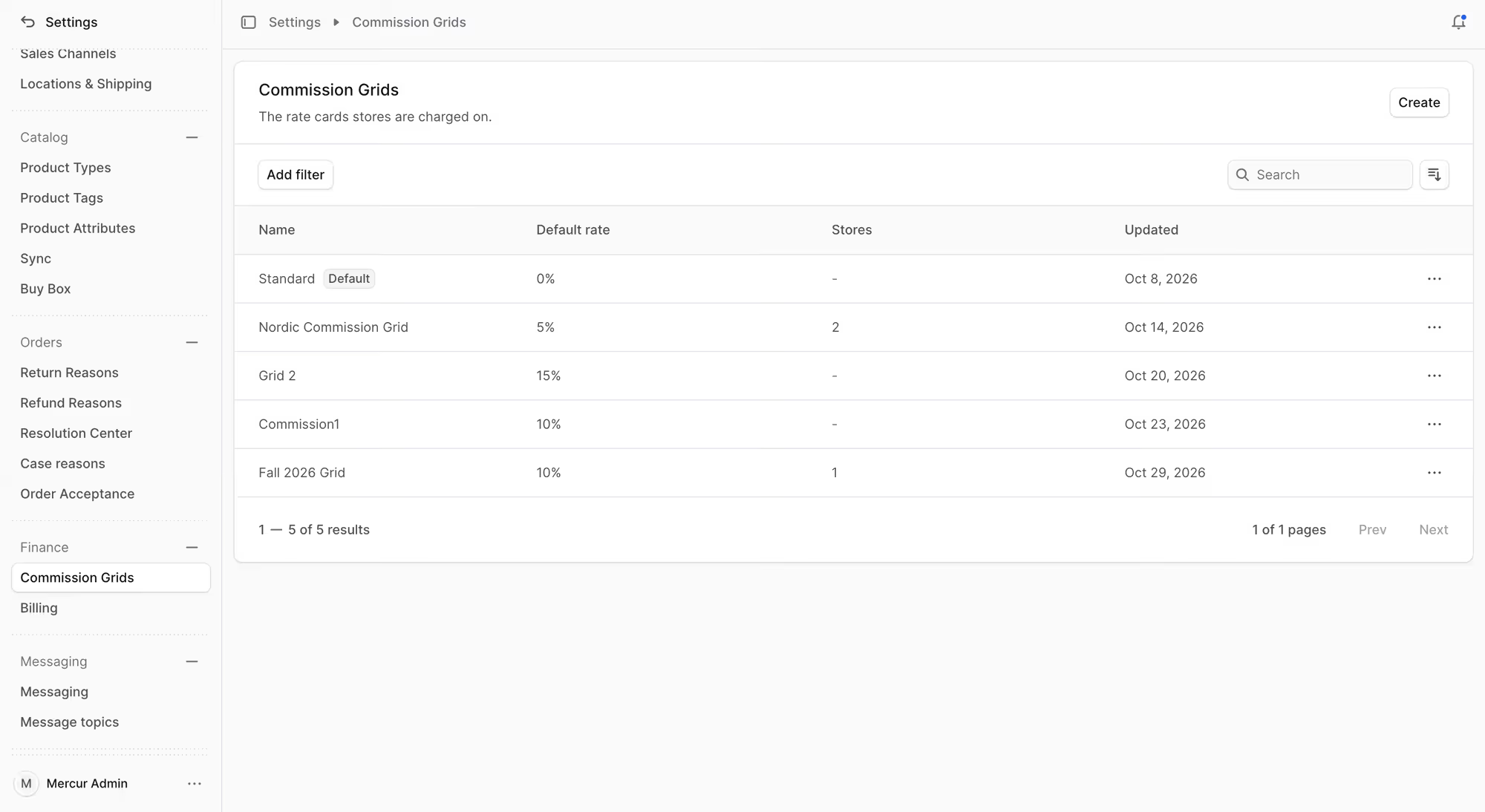
You set flexible commission rules for the whole marketplace or for an individual seller, category or product. You need both options, because a large seller will negotiate a different rate from the one in your standard agreement.
When I scope a marketplace with a client, we spend more time on commission exceptions than on any other topic. When two rules overlap, the most specific one should win.
You should be able to set the rate as a percentage or a fixed amount in each currency and to show a seller how their commission was calculated on every order.
6. Order management and order routing
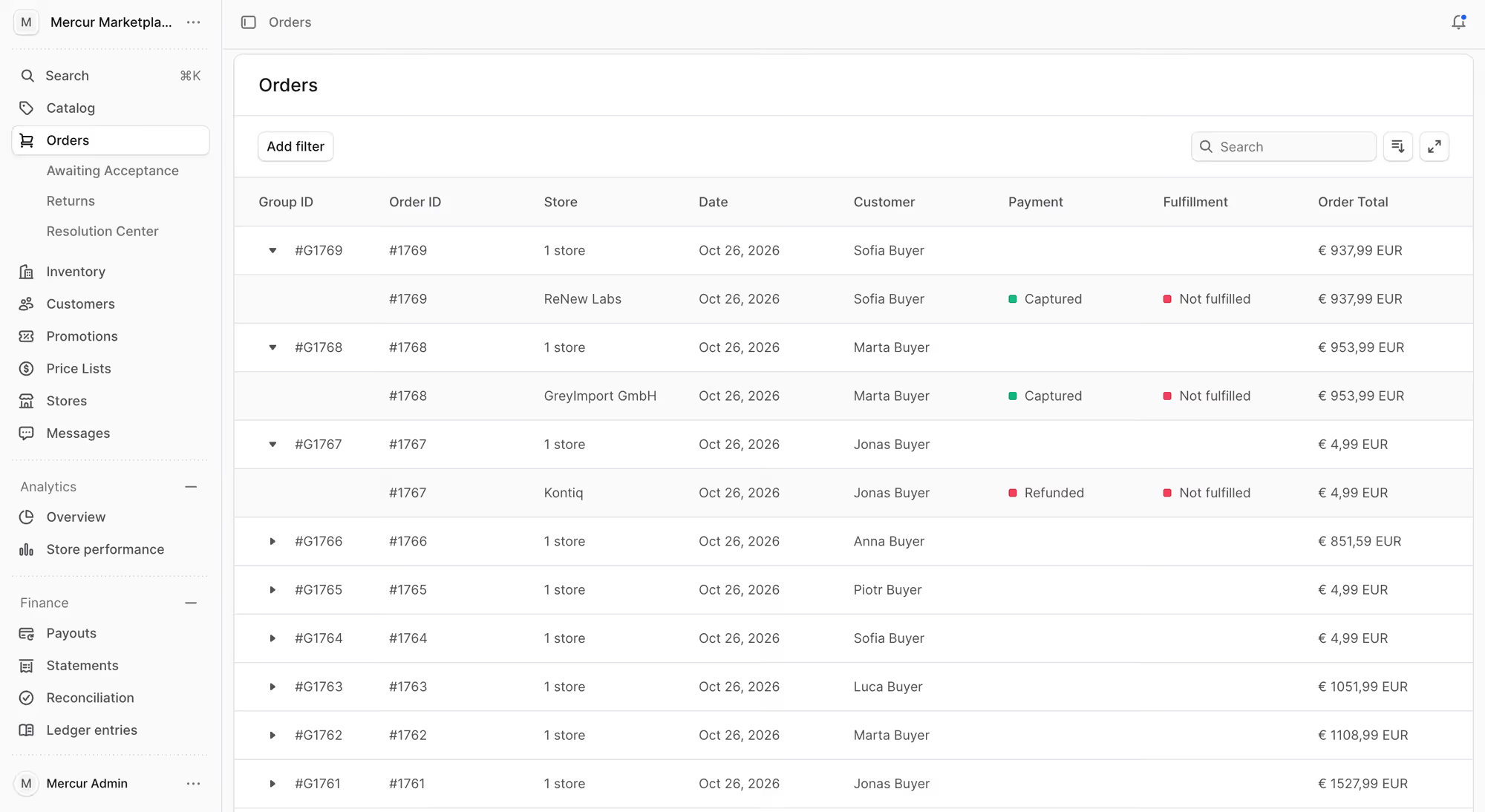
Order routing splits one basket into a separate order for each seller. These orders should stay linked in one group, and the buyer still sees one purchase and one payment.
Central order management shows your team every order across all sellers. You see which seller is late before the customer writes to support.
7. Payments, payouts, and refunds
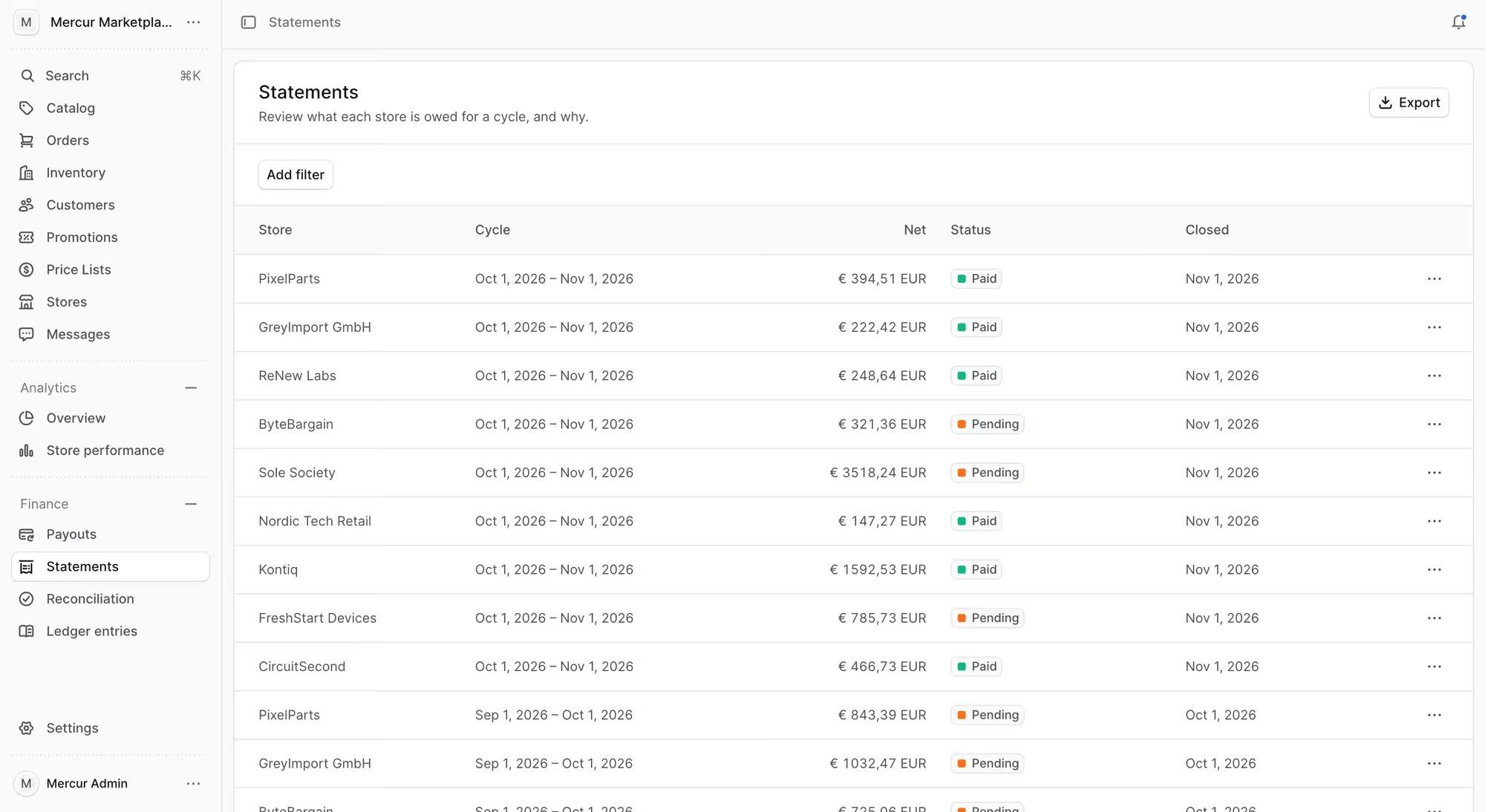
The buyer pays once, and the platform divides the payment between you and each seller. Automated payment gateways streamline vendor payouts, so sellers get paid on a schedule, and your finance team doesn't send each transfer.
You should be able to connect the payment provider you already use. Check that a refund can be issued on a single order line and that it reduces the right seller's payout.
8. Promotions and campaigns
You should be able to create promotions and promo codes that apply to the whole marketplace. Check that you can also set up a campaign and let each seller decide whether to join it.
9. Markets, currencies, and languages
You set regions, tax regions, and currencies in the admin panel, and you change them when you launch in a new market.
10. Roles and access
Role-based access control gives users access to their own tasks only. A support agent can see orders and can't change commission rules.
The same control separates sellers, so one seller can't see another seller's orders or prices. In your security review during the software demo, ask the vendor how the platform separates seller data.
11. Reporting and analytics
Analytics give you insights into sales and commission for each seller, so you can talk to an underperforming seller early.
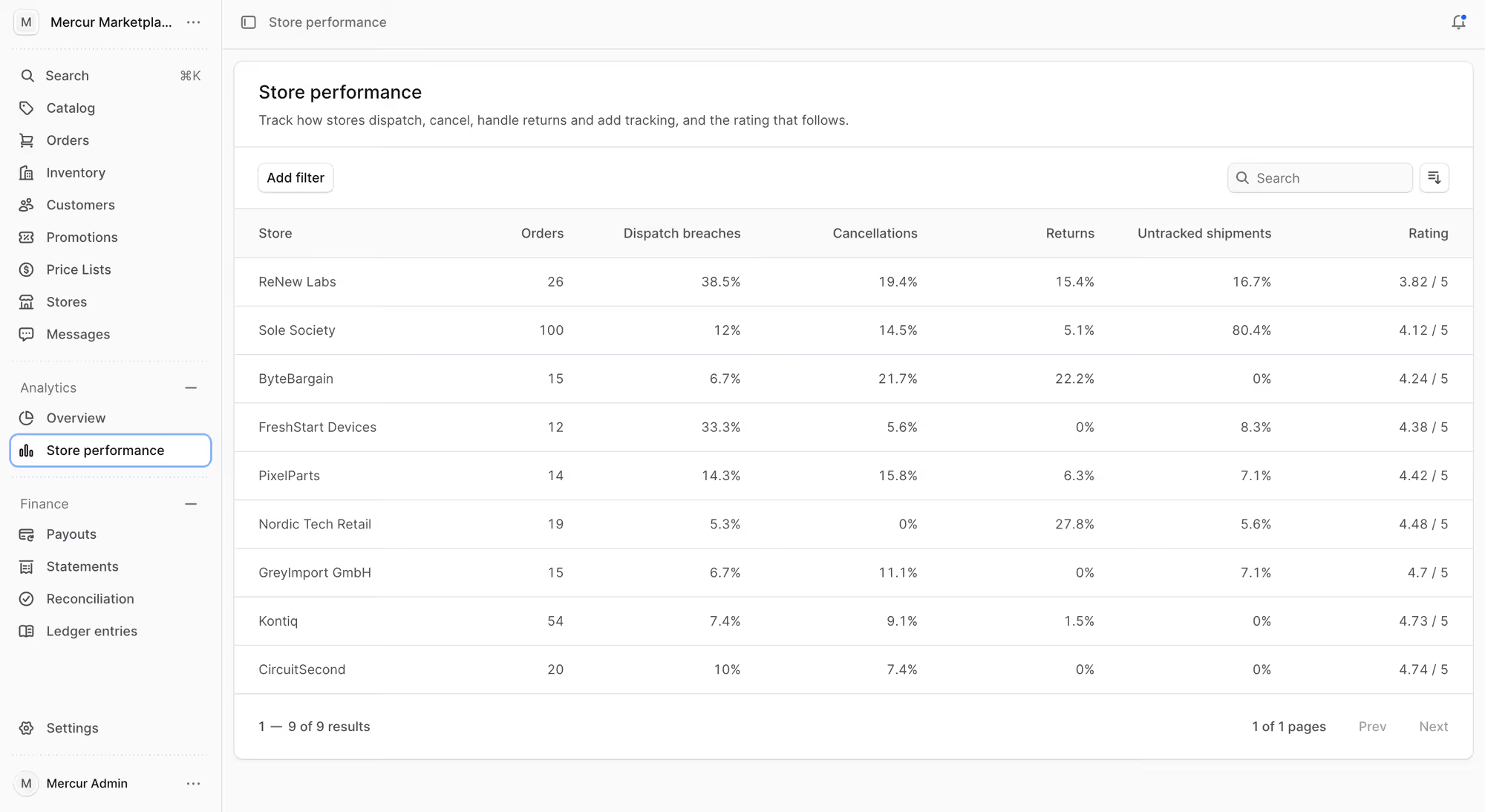
Reports per category show growth and profitability, so you know which categories earn commission and which mostly add support tickets.
What do marketplace sellers need from the vendor panel?
The vendor panel is the portal in which each seller manages their own shop in the marketplace. Every seller logs in to their own panel and sees only their own products, orders, and payouts.
When a seller can't add a product or find a payout in the panel, they write to your team or cancel your partnership.
Operators I work with often test the admin panel carefully and then spend only a few minutes in the vendor panel. I tell them to test both with the same care, because every one of their sellers will work in the vendor panel, which will bring money to your business.
Function | What does the seller do in it? | Why do they need it? |
|---|---|---|
Registration and business profile | Sign up and add company, address, and payment details | To start selling without waiting for your team |
Team accounts | Invite colleagues and give each one a role | To let their sales, warehouse, and finance staff each do their tasks |
Products and offers | Add products and create offers with their own SKU | To put their range in front of your buyers |
Pricing and inventory | Set prices and stock for each offer | To stay competitive on price and avoid selling stock they don't have |
Orders and shipping logistics | Confirm orders, choose shipping, and add tracking | To deliver items on time and let buyers track them |
Returns | Handle return requests, claims, and exchanges | To resolve a return themselves and keep the buyer satisfied |
Payouts | Connect a payout account and follow payouts | To plan their cash flow and check each payout against their own records |
Promotions | Create their own promo codes and join your campaigns | To increase their own sales with discounts they can afford |
Reviews | Read buyer reviews and follow their seller rating | To see what buyers complain about and protect their rating |
Messages | Answer questions from buyers and from your team | To solve a buyer's problem before it becomes a return or a complaint |
1. Registration and business profile
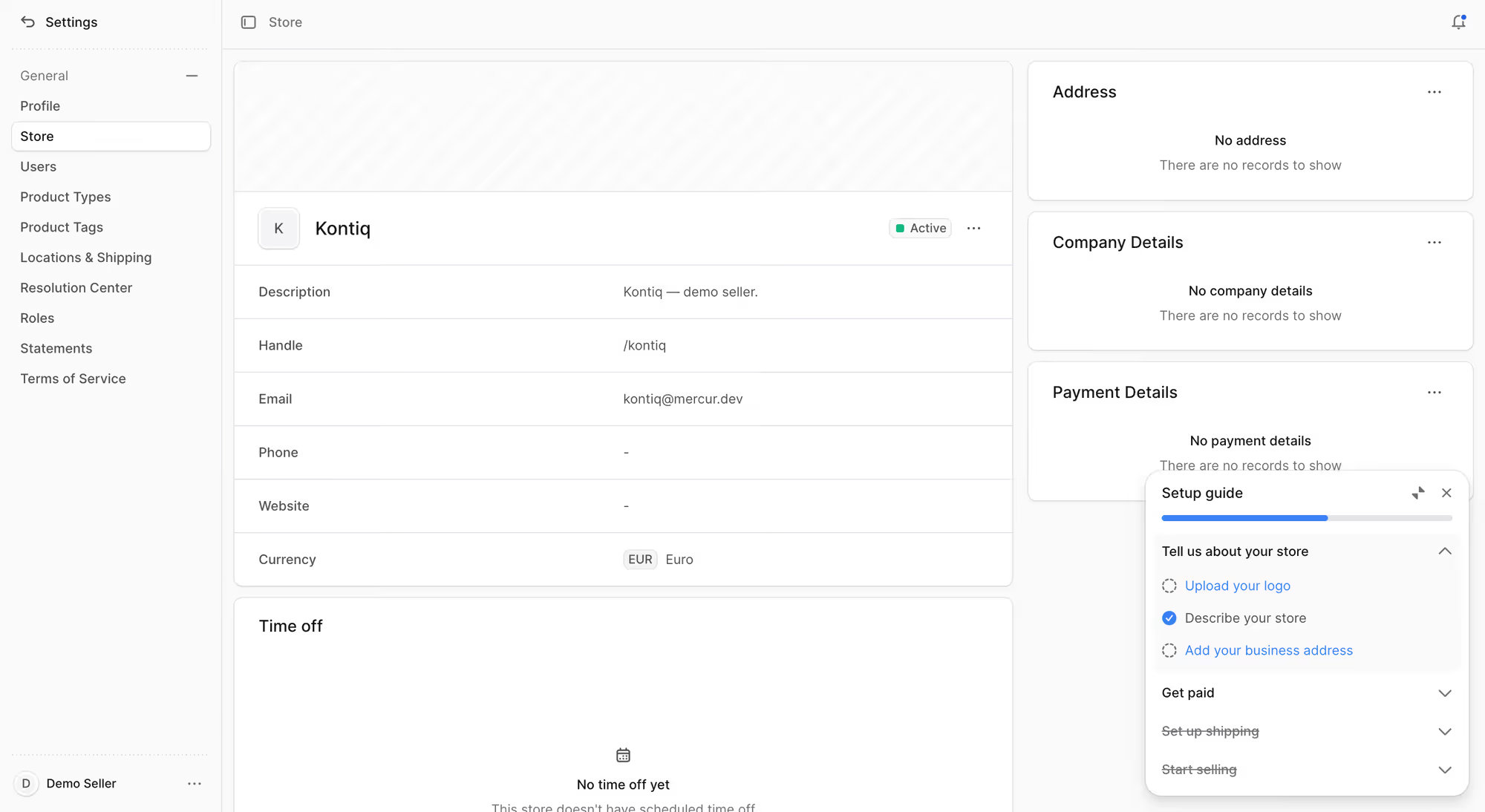
A seller should register and add company, address, and payment details without your help, so a new seller doesn't wait for your team to start. Your team should then see the same profile in the admin panel.
2. Team accounts
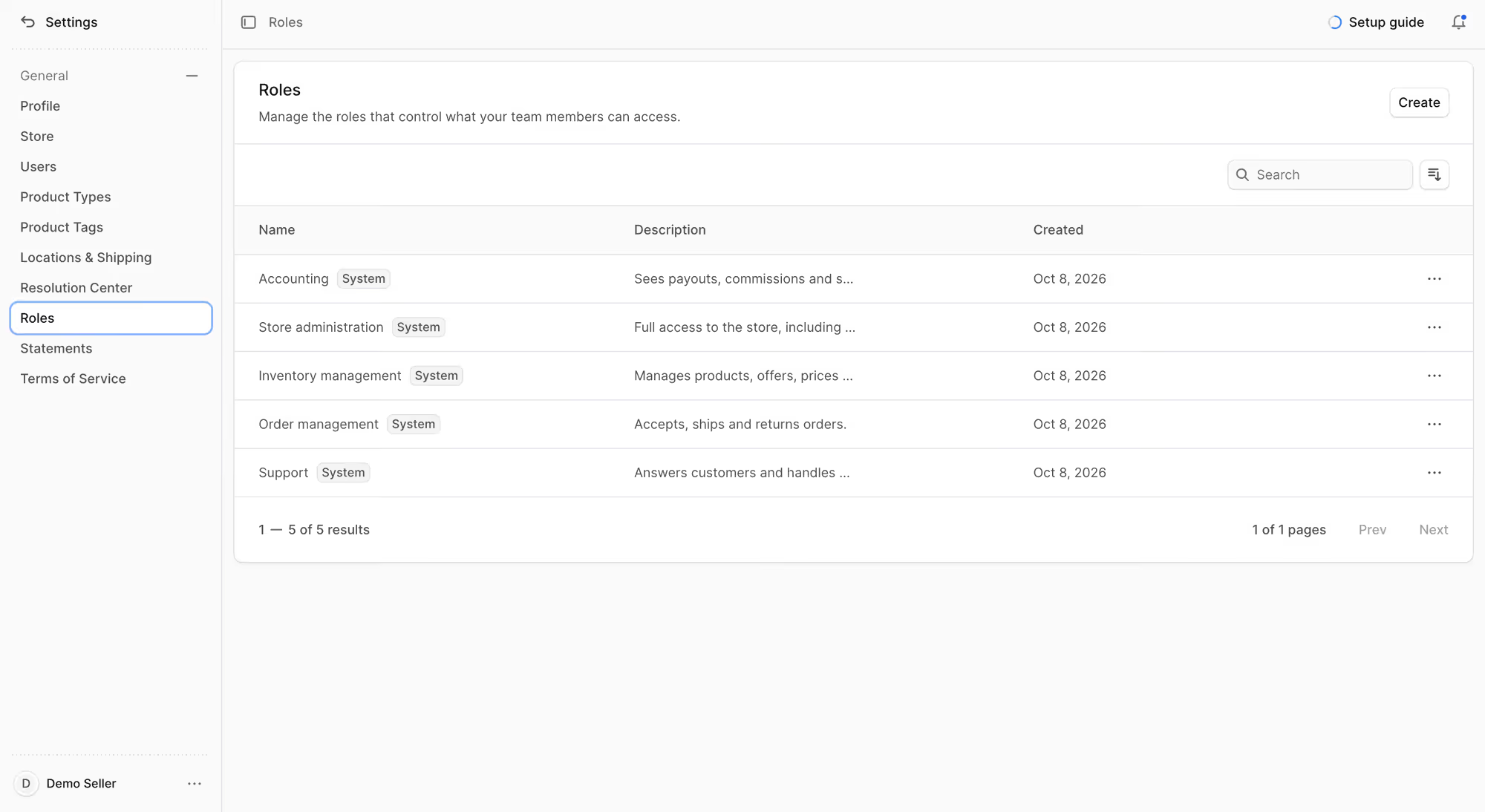
Seller is usually a company with several employees, so the owner needs to invite colleagues and give each one a role. The panel should also let one user switch between several stores.
3. Products and offers
Sellers add their products and create offers with their own SKU. A seller should also be able to attach an offer to a product that already exists in the master catalog.
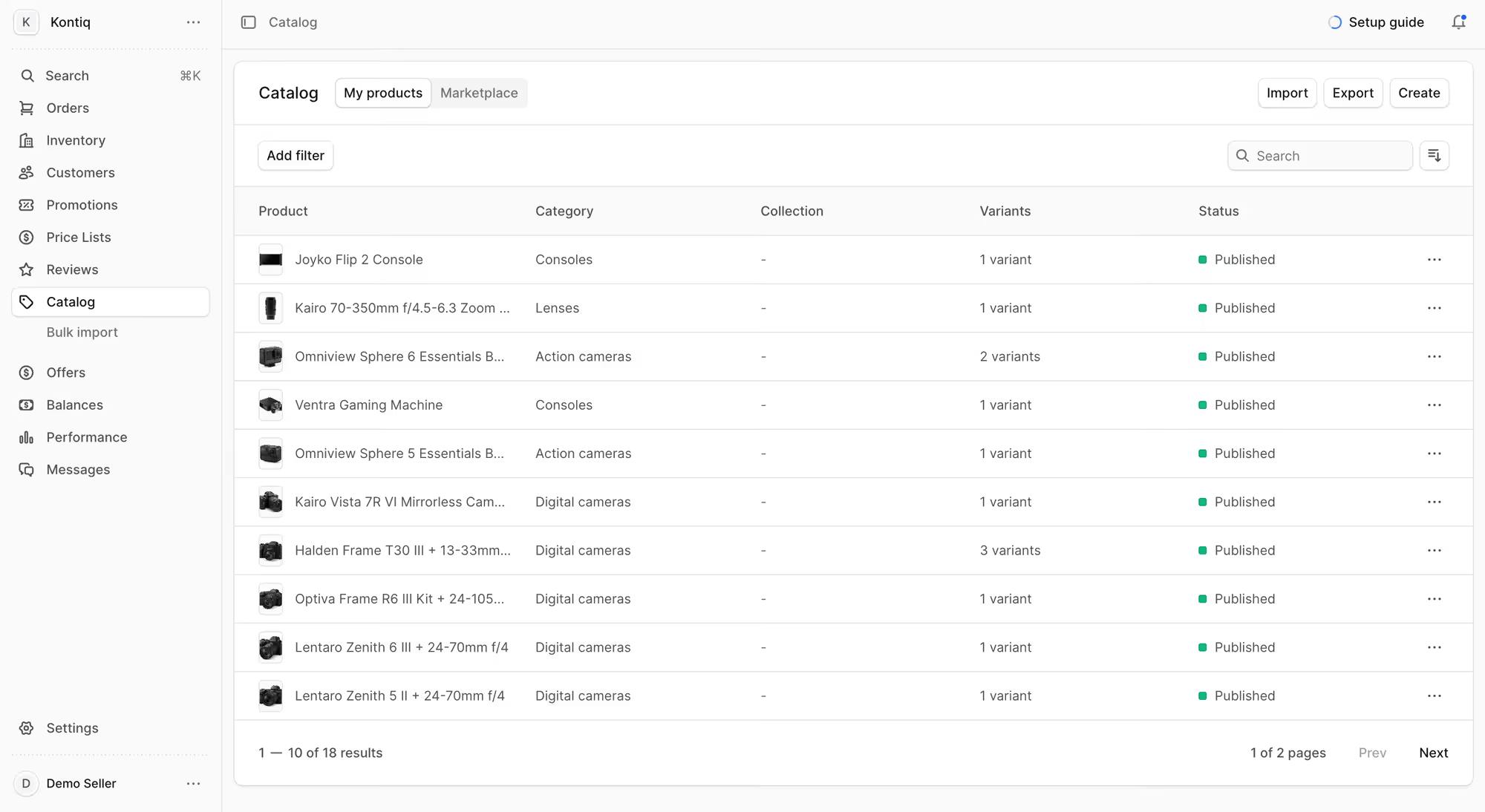
Larger suppliers have thousands of products in their own systems, so they need a file import or an API to connect them.
4. Pricing and inventory
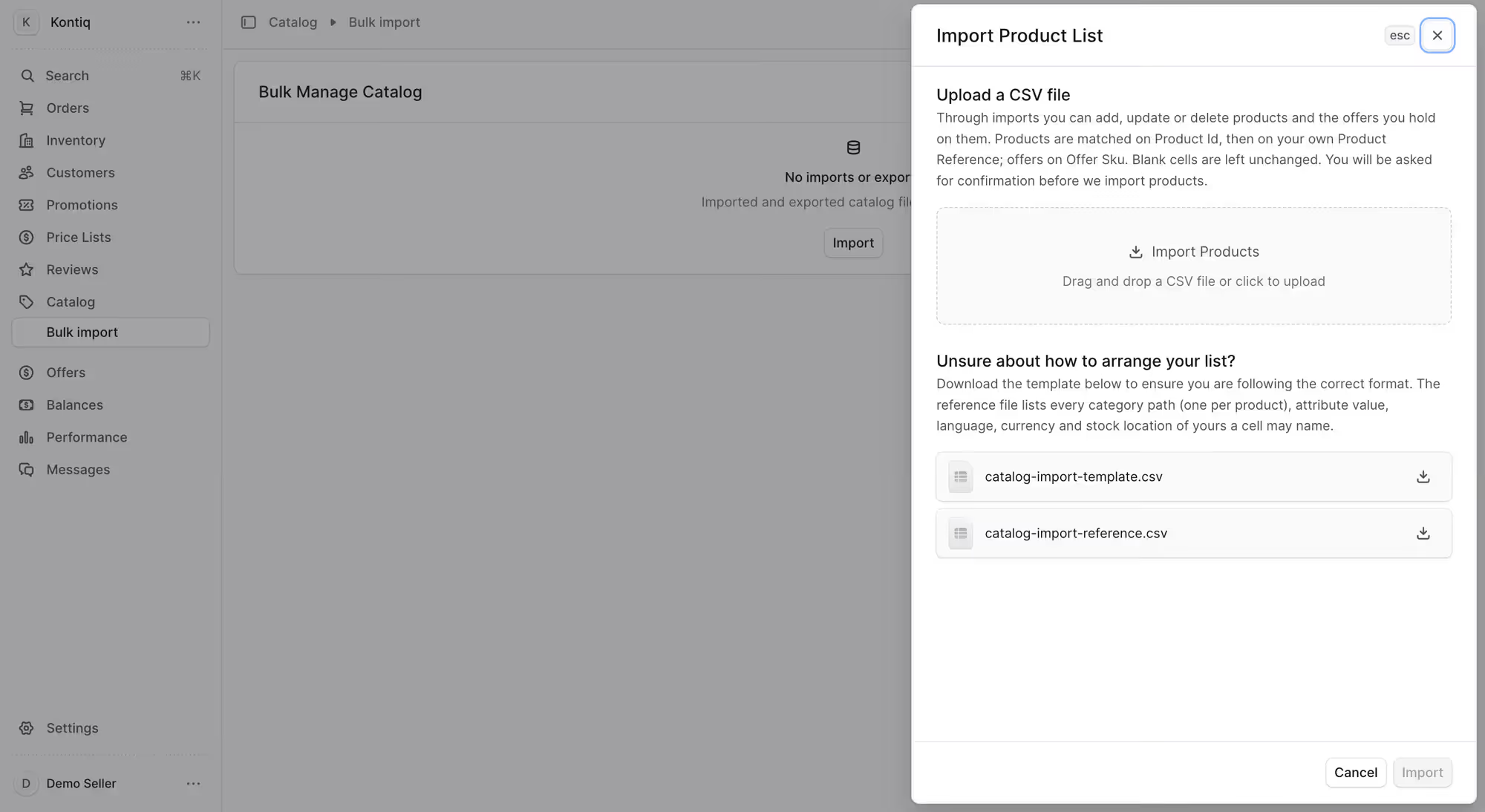
Sellers set pricing and manage inventory for their own offers. Each offer needs its own price, stock level, and stock location. Sellers with buyers in several countries also need a separate price list per region.
A seller who also sells in other channels needs real-time inventory sync, or buyers order stock that's already gone.
5. Orders and shipping logistics
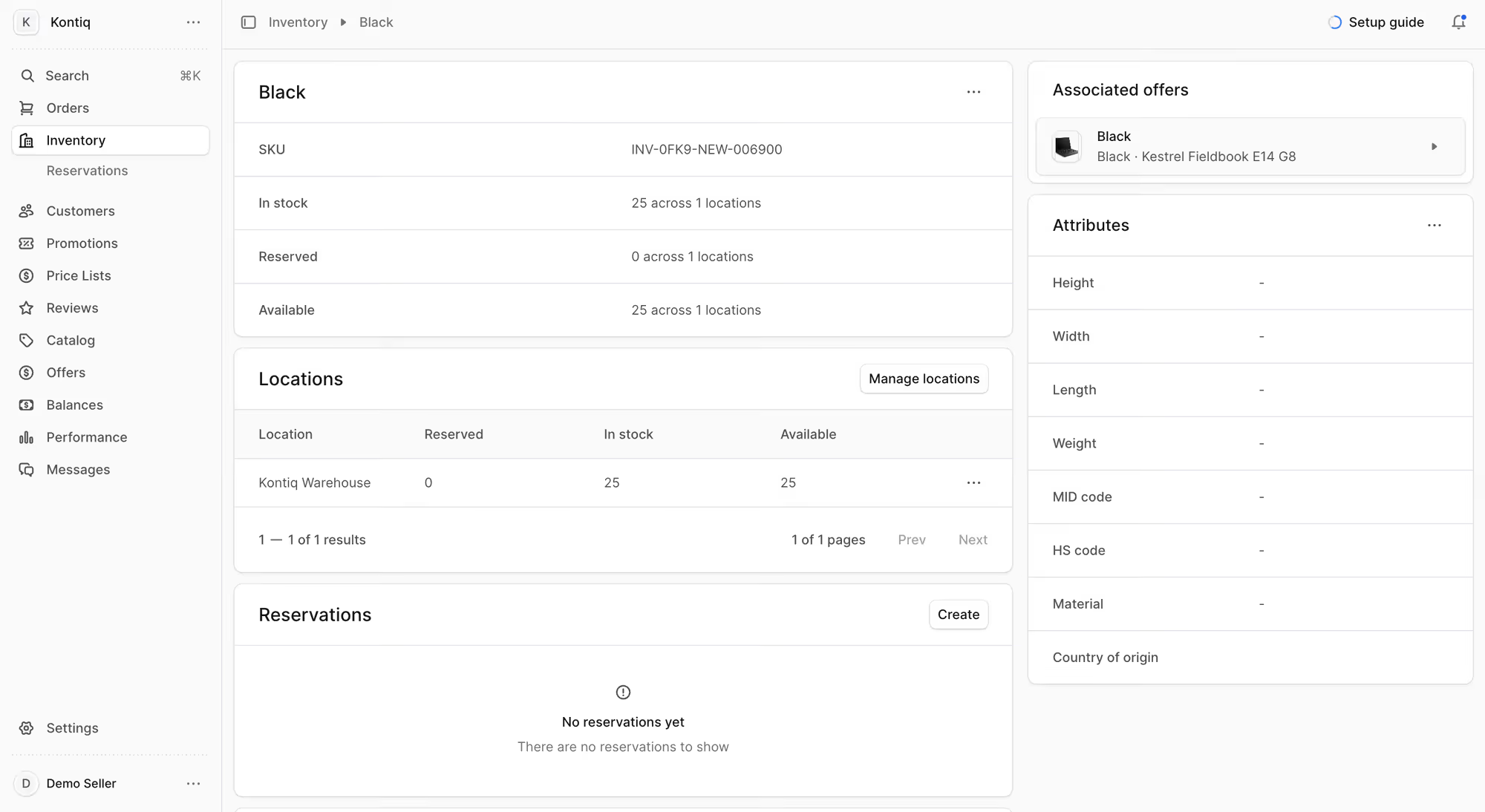
The seller sees only their part of each order and confirms it. They choose a shipping method and add tracking for their own items.
In most marketplaces I work on, the seller handles shipping logistics, so the panel has to give them shipping profiles and rates they control.
6. Returns
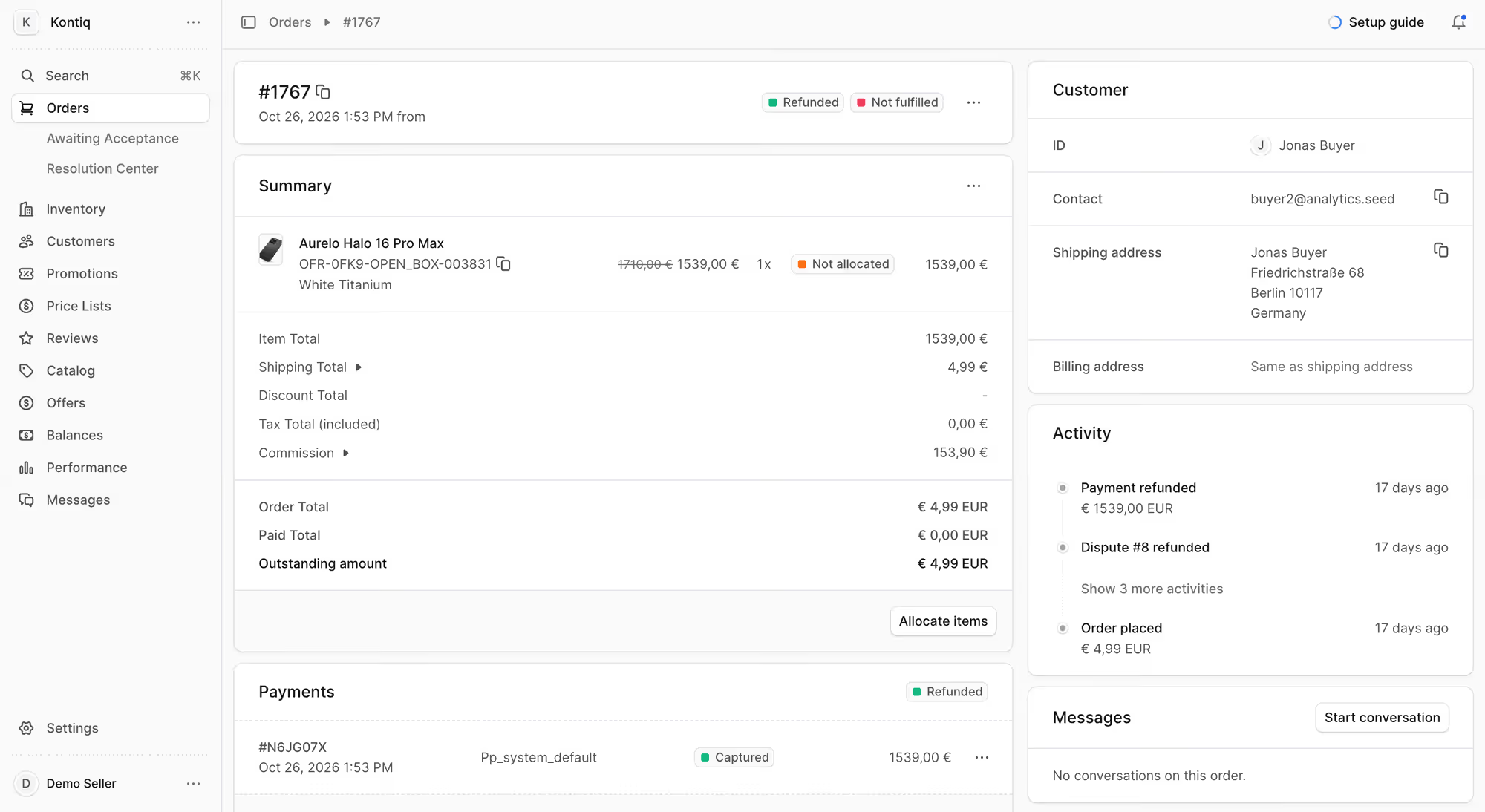
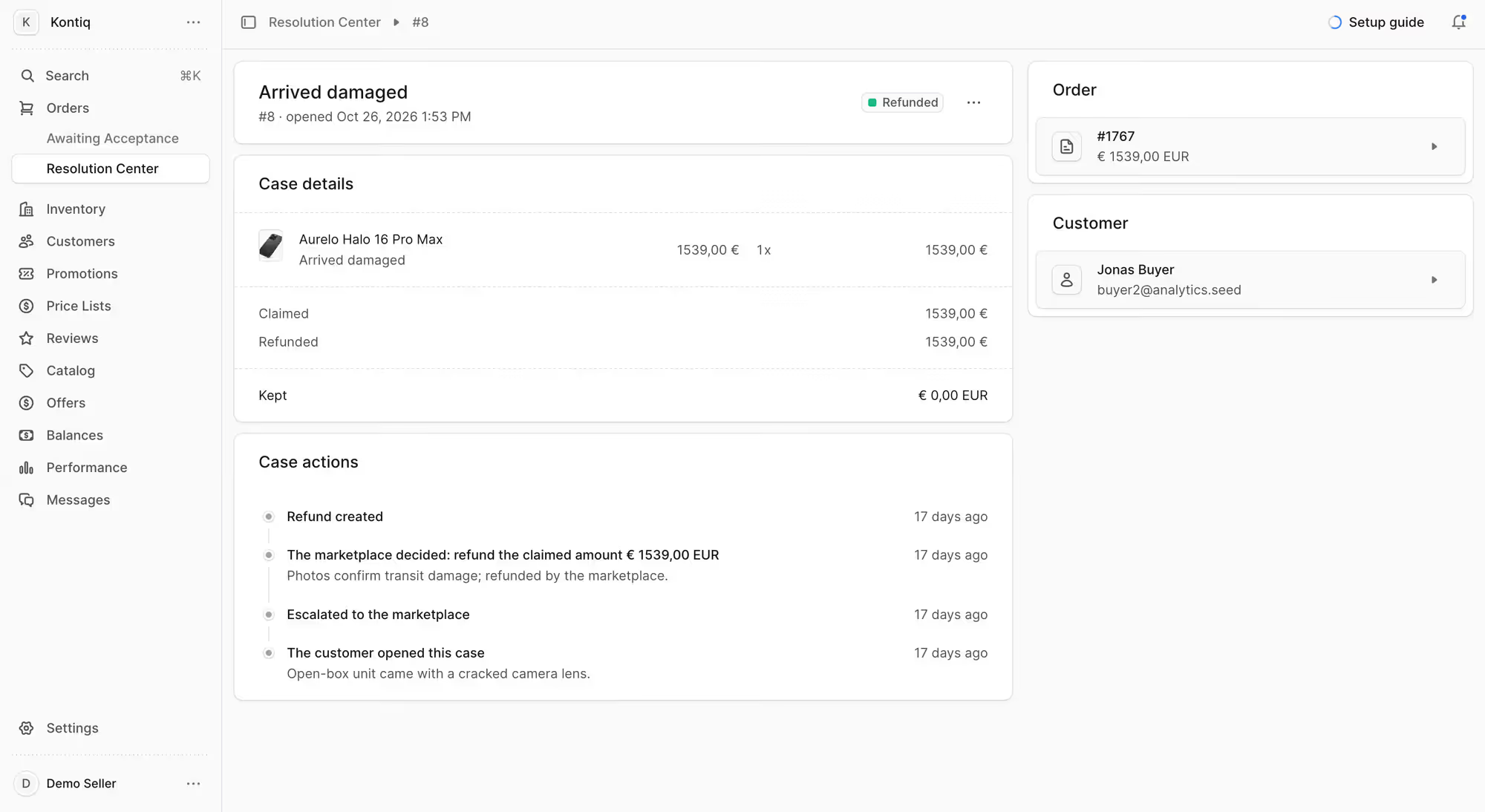
The seller who sold the item handles the return. Sellers should be able to define their own return reasons and process return requests, claims, and exchanges in the panel.
The buyer gets an answer from the company that has the product, and your support team only joins when the two disagree.
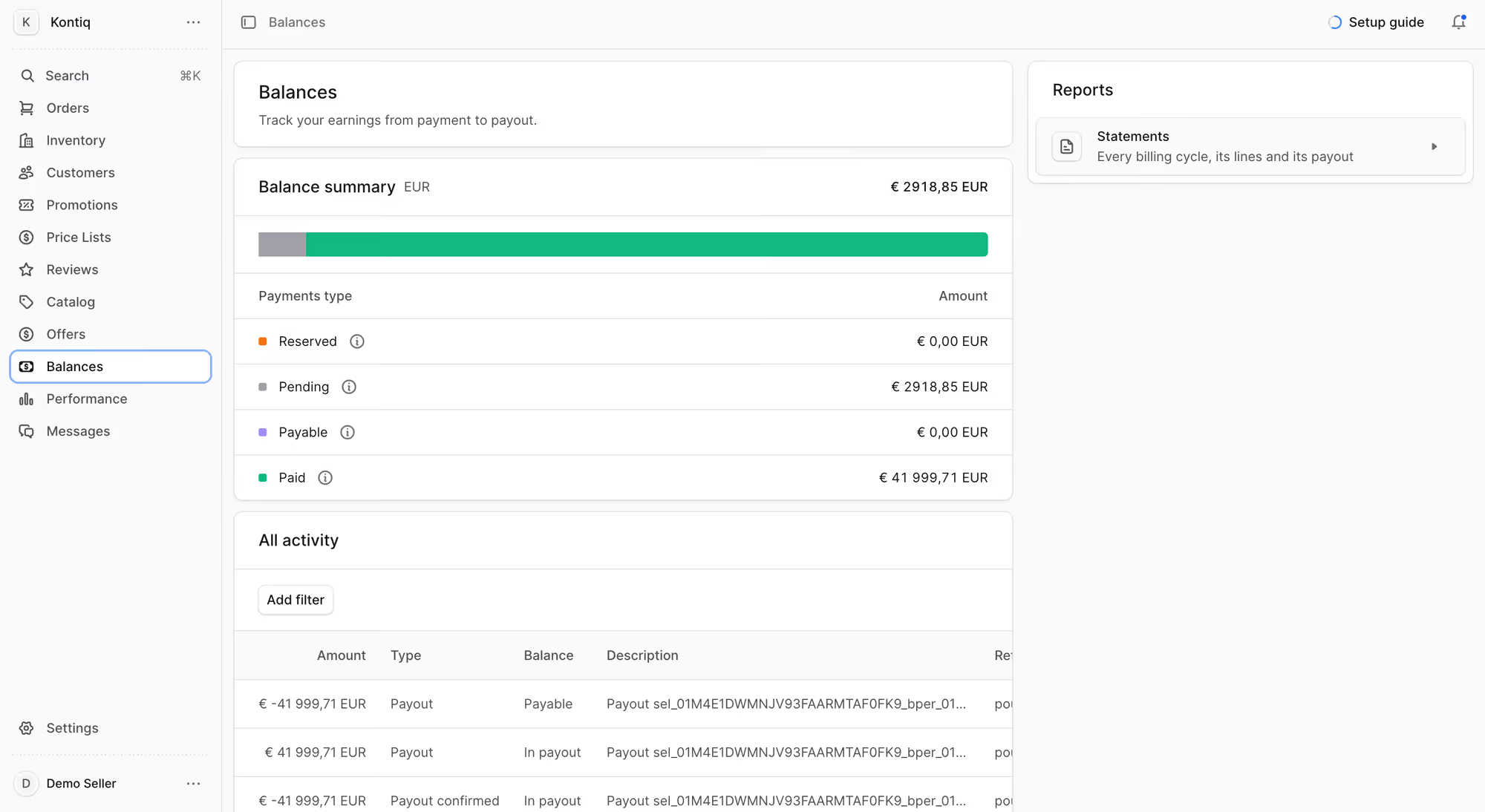
7. Payouts
Each seller should be able to connect their own payout account and follow every payout in the panel. They see how much they earned and when the money arrives, so they can check each payout against their own records.
Without that view, every payout question becomes an email to your finance team.
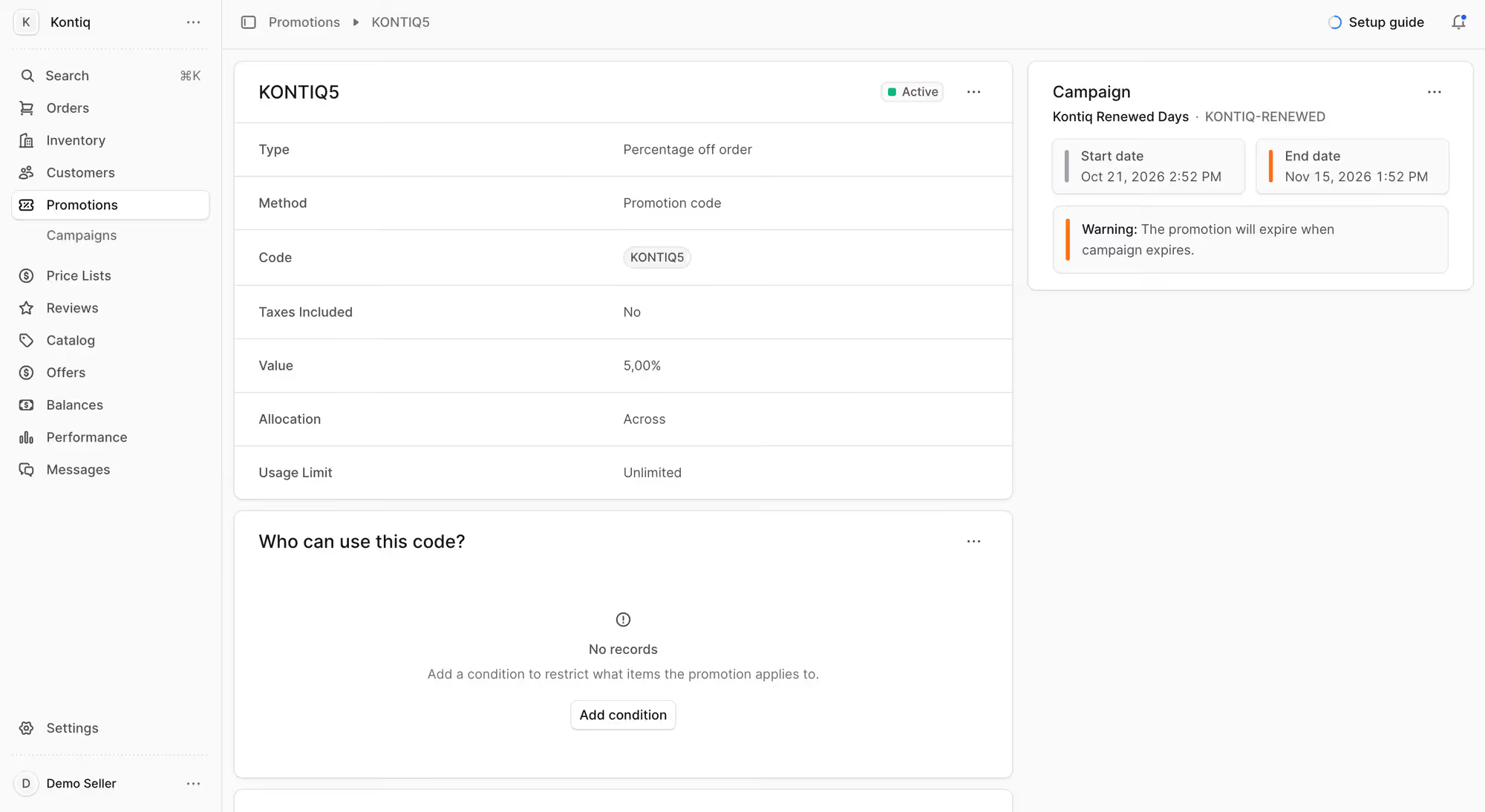
8. Promotions
Sellers create promo codes for their own products, because they know their margins and which discounts they can afford. They also see your marketplace campaigns and decide whether to join them.
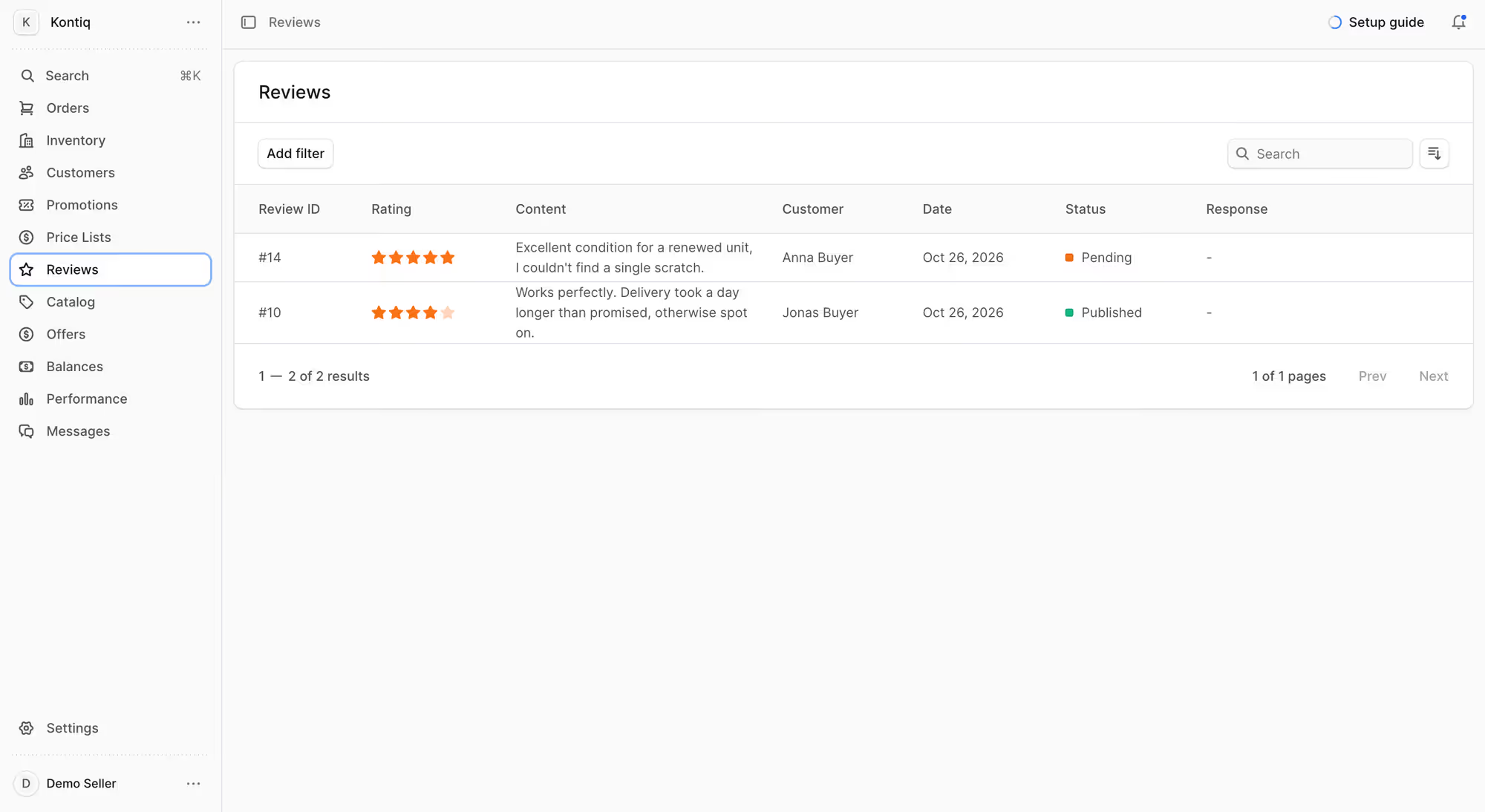
9. Reviews
Buyers rate the product and the seller after an order. Sellers should be able to read each review and see their overall rating in the panel, so they can fix a problem before it costs them sales.
The same rating shows you which sellers keep your buyers satisfied.
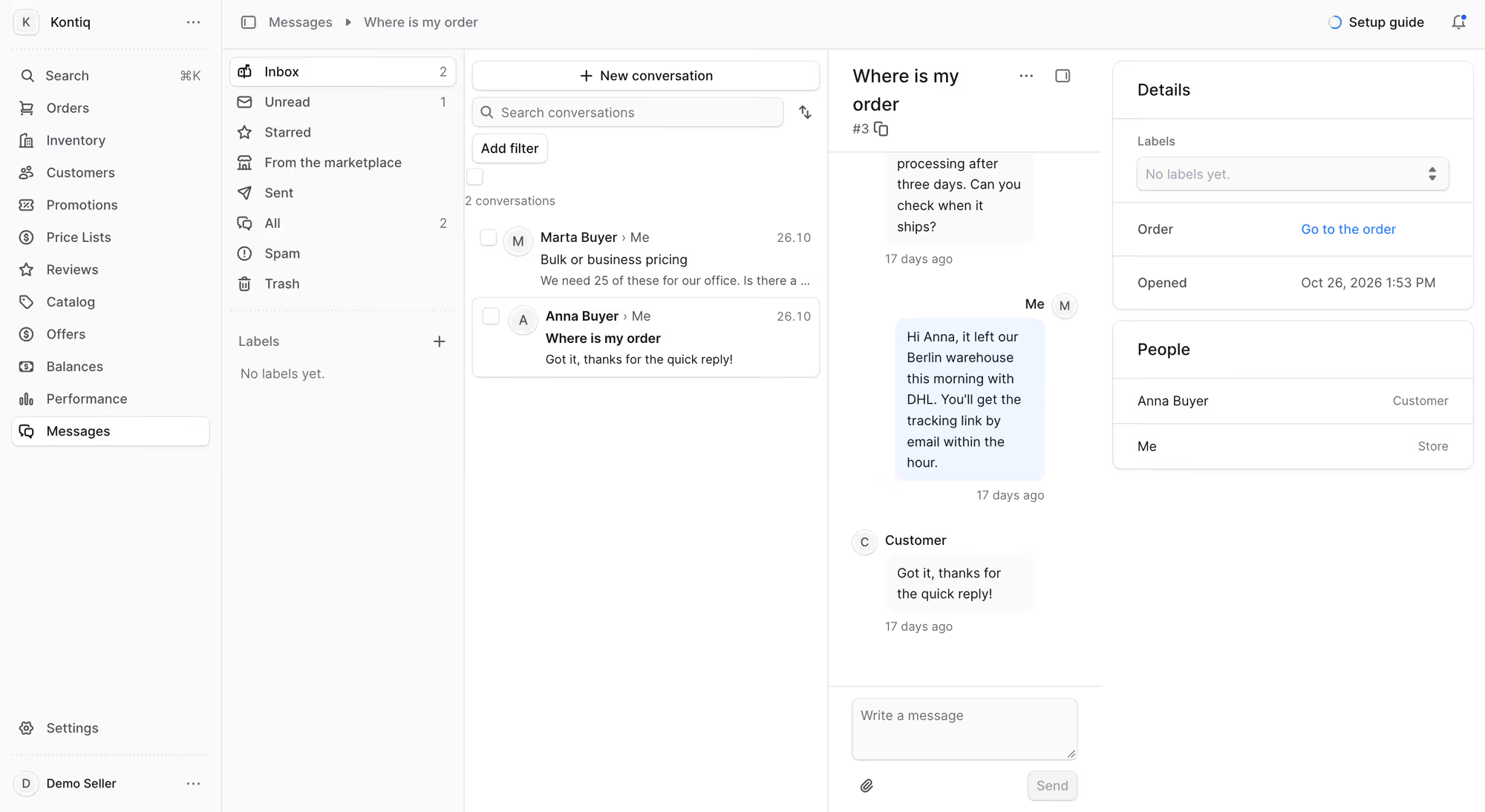
10. Messages
Sellers need one place in the panel in which they answer buyers' questions and talk to your team. Without it, those conversations happen in email, and you can't see what a seller promised a buyer.
What is the best marketplace management software in 2026?
The best marketplace management software for you depends on your requirements and resources, duh! It comes in five architecture types, and they differ in: who owns the software, what it costs, and how much of it you can change.
- Open-source platforms give you a complete marketplace with full source code and no licence fee. Your platform belongs to you, so your developers can change any part of it, and the cost doesn't grow with your sales.
- Full-stack SaaS solutions sell you a platform that you rent for a subscription. The provider maintains the marketplace, so entrepreneurs can launch in weeks without developers. You can change only what the settings allow, and the bill often gets expensive as your sales grow.
- Marketplace overlay is a hosted layer that adds marketplace functions to the eCommerce platform you already have, so third-party sellers can sell in your store. The provider owns and maintains that layer for a license fee, and you keep paying for your own platform underneath it. Changes are limited to what its settings allow, and the bill also gets expensive as your sales grow.
- Self-hosted software solutions are products that you buy a licence for and install on your own infrastructure. Your team maintains them, and the licence decides how much of the source code you can see and change. Some products give you all of it, and others keep their core files encrypted.
- Plugin adds marketplace functions to a store that was built for one seller, and it's the cheapest and quickest way to start. Its limits come from the store underneath: commission rules are usually simple, extra functions arrive as separate paid add-ons, and the store slows down as sellers and products grow. It suits small businesses that want to test the model with a few sellers.
You'll find a detailed comparison of prices, hosting, and limits for all 13 platforms in the guide to the best marketplace software in 2026. The table below is only a short list of them.
Platform | Architecture | Best for |
|---|---|---|
Mercur | Open-source | Teams wanting full control |
Mirakl | Overlay | Enterprise retail at scale |
Marketplacer | Overlay | Mid-market retail adding a channel |
Sharetribe | Full-stack SaaS | Founders and small teams |
VTEX | Full-stack SaaS | LATAM-first commerce suites |
Nautical Commerce | Full-stack SaaS | Mid-market operators |
CS-Cart Multi-Vendor | Self-hosted | Proven PHP self-hosting |
Yo!Kart | Self-hosted | Marketplace-native mid-size |
Magento / Adobe Commerce | Self-hosted + extensions | Complex B2B on an existing stack |
Bagisto | Open-source | Laravel and PHP teams |
Dokan | Plugin | Cheapest way to test the model |
Webkul | Plugin | Teams already on Shopify or Magento |
WooCommerce plugins | Plugin | WordPress teams building an MVP |
How to choose the best marketplace management software for your marketplace? Checklist for operators
Start by preparing your own requirements before you talk to a software vendor or book a demo. In a demo, the vendor shows the functions their product does well, so you need your own list to ask about the rest. I ask an operator for the same list before I tell them whether Mercur fits their marketplace.
1. List the tasks your team does manually
Write down every task your team handles in a spreadsheet or by email, for example:
- Approving a new seller after an exchange of emails.
- Copying products from a seller's file into your catalog.
- Calculating each seller's commission at the end of the month.
- Forwarding an order to the seller who has to deliver it.
- Sending payouts as separate bank transfers.
- Answering sellers who ask when their payout will arrive.
Each one is a requirement for the admin panel or the vendor panel.
2. Write down your requirements and resources
- Note how many sellers and offers you have today and how many you expect in two years.
- Add every integration the marketplace needs, such as your store, your ERP, and your payment provider.
- Ask each vendor whether the software can integrate with existing eCommerce systems. If it can, you add a marketplace to your existing store and keep the commerce platform you have.
- Decide how much you can spend in the first year and whether you accept a fee on every sale.
- Decide who must host the software and who will own the code and the data.
- Ask yourself how often you will change the way your marketplace works. Hosted SaaS lets you change settings, and open-source software lets your developers change the code.
3. Add the functions specific to your industry
A standard feature list doesn't include the functions specific to your industry, and you often can't launch without them.
Write down the ones your marketplace needs, for example:
- B2B: customer-specific prices, order approvals and invoices in place of card payments.
- Wholesale and distribution: tier prices, order minimums and repeat orders that match your ERP.
- Services: bookings, calendars and provider profiles in place of stock.
- Second-hand and C2C: moderation tools for listings added by private sellers.
- Regulated products such as electronics or cosmetics: safety and labelling fields on every product, and a check of each seller's documents.
For each feature, ask the provider if it's available in their software and in which plan or edition. When a function is missing, ask whether your developers or a partner can build it.
On hosted SaaS, you usually can't, so the function becomes a feature request, and the provider decides when to deliver it. With open-source software, your team can build it.
4. Ask for the pricing at 10x your volume
Marketplace software might have more fees than the subscription shown on the pricing page. Ask the provider which of these apply to you:
- Subscription or a licence fee, charged monthly, yearly, or once.
- Fee on your sales, charged as a share of every order.
- Usage fees that depend on the number of sellers, orders, or API calls.
- Setup or implementation fee at the start.
- Paid add-ons for functions outside the base plan.
- Hosting and maintenance.
- The eCommerce platform underneath, when the product is an overlay.
- A higher price at renewal, written into the contract.
Ask for the total at ten times your current volume. A fee on sales and usage fees grow with every order, so a price that looks low today can become your highest cost.
Operators I work with often compare only the first-year price. Two or three years later, their sales are higher, and the fee on sales has grown with them. The platform that looked cheapest at the start costs more than the ones they rejected.
5. Check how the software will scale
The software has to handle more sellers and more orders than you have today, and new markets when you add them.
- Ask how many sellers and offers the provider's largest customer has.
- Ask what happens to search and product imports when the catalog grows ten times.
- Ask whether your plan has limits on orders or API calls, and what you pay when you pass them.
Launching in a new market takes multi-currency and multi-language support and the right tax settings for that country. If you plan to sell around the world, check all of them before you sign.
Your own team will grow too, so check that you can add users and roles without changing the plan.
Checklist to complete before the first vendor call
You should have an answer to each of these points before the first vendor call.
- The tasks your team does manually today.
- The number of sellers and offers now and in two years.
- The functions your industry needs on launch day.
- The systems the marketplace has to connect to.
- Your first-year budget and your limit on fees per sale.
- Your decision on who hosts the software and who owns the code.
- The markets, currencies, and languages you plan to add.
- The vendor's price at ten times your volume.
- The size of the vendor's largest customer.
Mercur's admin panel and vendor panel cover marketplace features out of the box
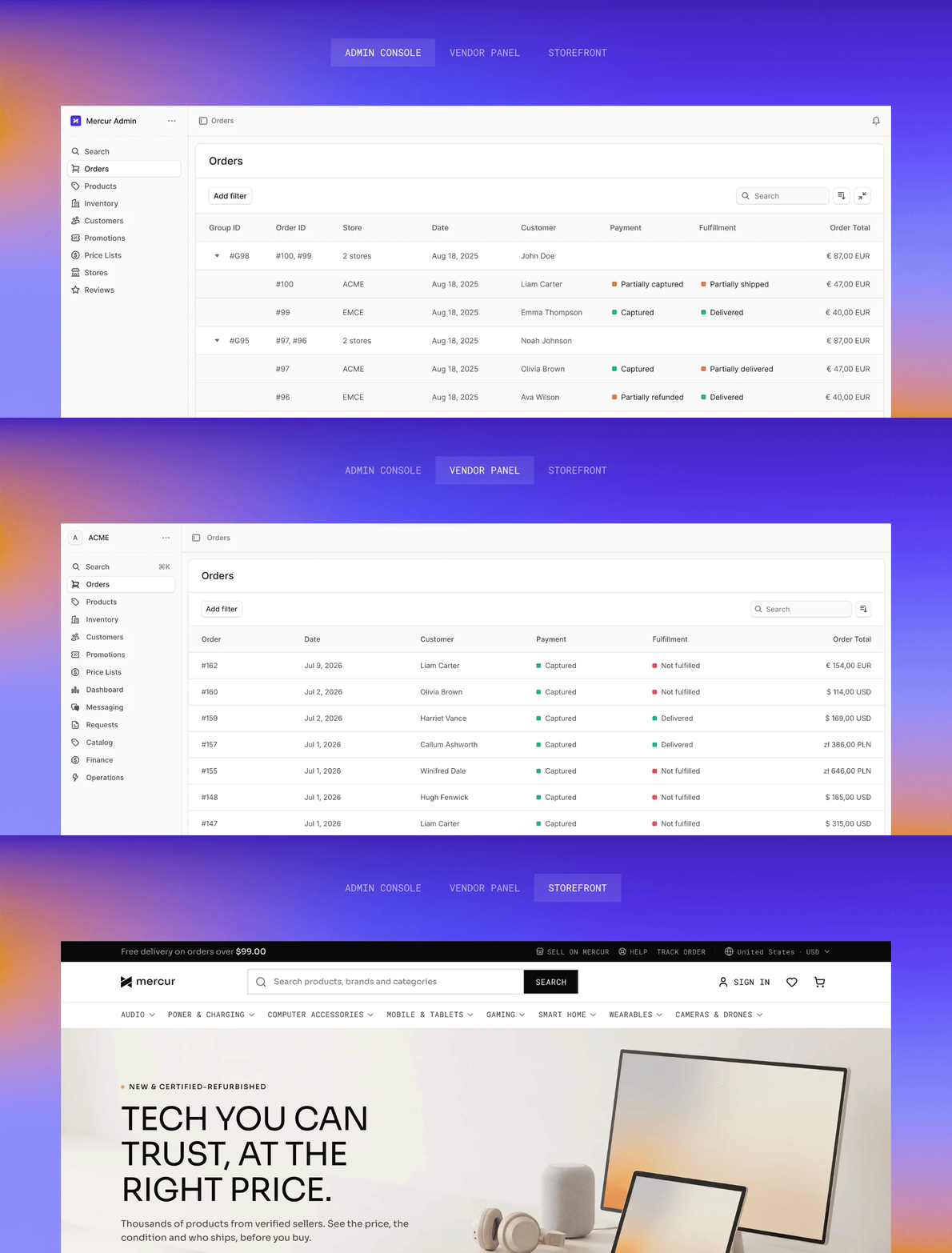
Mercur is the complete platform to run your entire marketplace. It includes an admin panel for the operator, a separate vendor panel for every seller, a storefront for buyers, and integrations into your stack. It runs on your infrastructure with zero GMV fees.
- You can add Mercur to your store if you already sell on Shopify, Magento, or your own stack. Mercur runs a third-party marketplace beside it – your storefront stays, your vendors, no replatform.
- Or build a standalone marketplace. Mercur is your eCommerce and your marketplace in one engine, with no separate platform underneath.
The screens in both panel sections of this article come from Mercur. The full list of Mercur features shows every module with its edition and a demo.
It has more than 60 modules in two editions. The open-source edition covers the daily work of the operator and the seller, and the Enterprise edition adds advanced financial & operational controls, vendor integrations, and a team accountable for maintaining the licensed platform.
Summary: Which marketplace management software fits your marketplace?
The software that fits your marketplace covers every task on your list in both panels. You should also be able to afford it when your volume is ten times higher.
Founders and small teams can launch on hosted SaaS such as Sharetribe without developers. Large retailers that add sellers to an existing store should look at overlays such as Mirakl and Marketplacer.
Operators who want to own the code and don't want to pay a fee on their sales should look at open-source platforms such as Mercur.
Talk to a marketplace expert and bring your checklist. I'll go through it with you and tell you which software will be best for your business.
FAQ on marketplace management software
What is marketplace management software?
Marketplace management software is a platform that enables a company to operate a marketplace with third-party sellers. It handles seller onboarding, order routing, commissions, and payouts. The operator uses an admin panel, and every seller uses their own vendor panel.
Is marketplace management software suitable for B2B?
Yes, you can find marketplace management software suitable for B2B as well as B2C, like Mercur. B2B marketplaces need customer-specific prices, order approvals, and invoices. Check these with the vendor, since many platforms were built for consumer purchases first.
Is there free marketplace management software?
Yes, an example of free marketplace management software is Mercur – an open-source platform with no licence or GMV-based fee. You only pay for implementation, hosting, and maintenance. 80% of what a marketplace needs out of the box. You customize the last 20%, the part that makes your platform different from every other one.
What is the difference between marketplace management software and multichannel software?
Marketplace management software manages sellers on your own marketplace, and multichannel software manages your listings on other companies' marketplaces. An operator earns commission from its sellers, while a multichannel seller pays commission to each marketplace it lists on.
Do I need to replace my eCommerce platform to add a marketplace?
No, most marketplace software can connect to an existing eCommerce platform, like Mercur or Mirakl. Your store keeps its catalog and checkout. The marketplace platform adds sellers, offers, and payouts next to it.
More articles
Ready to build?
See the product – open the demo, or book a walkthrough with our experts.